Chatbot vs Live Chat: Which Does Your Business Need?

Key takeaways
- In the chatbot vs live chat choice, a chatbot answers from your content in seconds, at any hour. Live chat puts a person on the other end, but only while someone is online.
- Staffing live chat on weekdays from 9 to 5 covers 40 of the 168 hours in a week, about 24%, and costs about $3,732 a month in wages at the US median.
- At 900 chats a month, a chatbot that passes 30% of chats to your team costs about $656 a month in plan fees and staff time, on the assumptions shown below.
- 87% of customers say a route to a human is essential when a company uses generative AI for service, so most small teams do best running both.
Build your support chatbot free → · Free forever plan, no sales call needed.
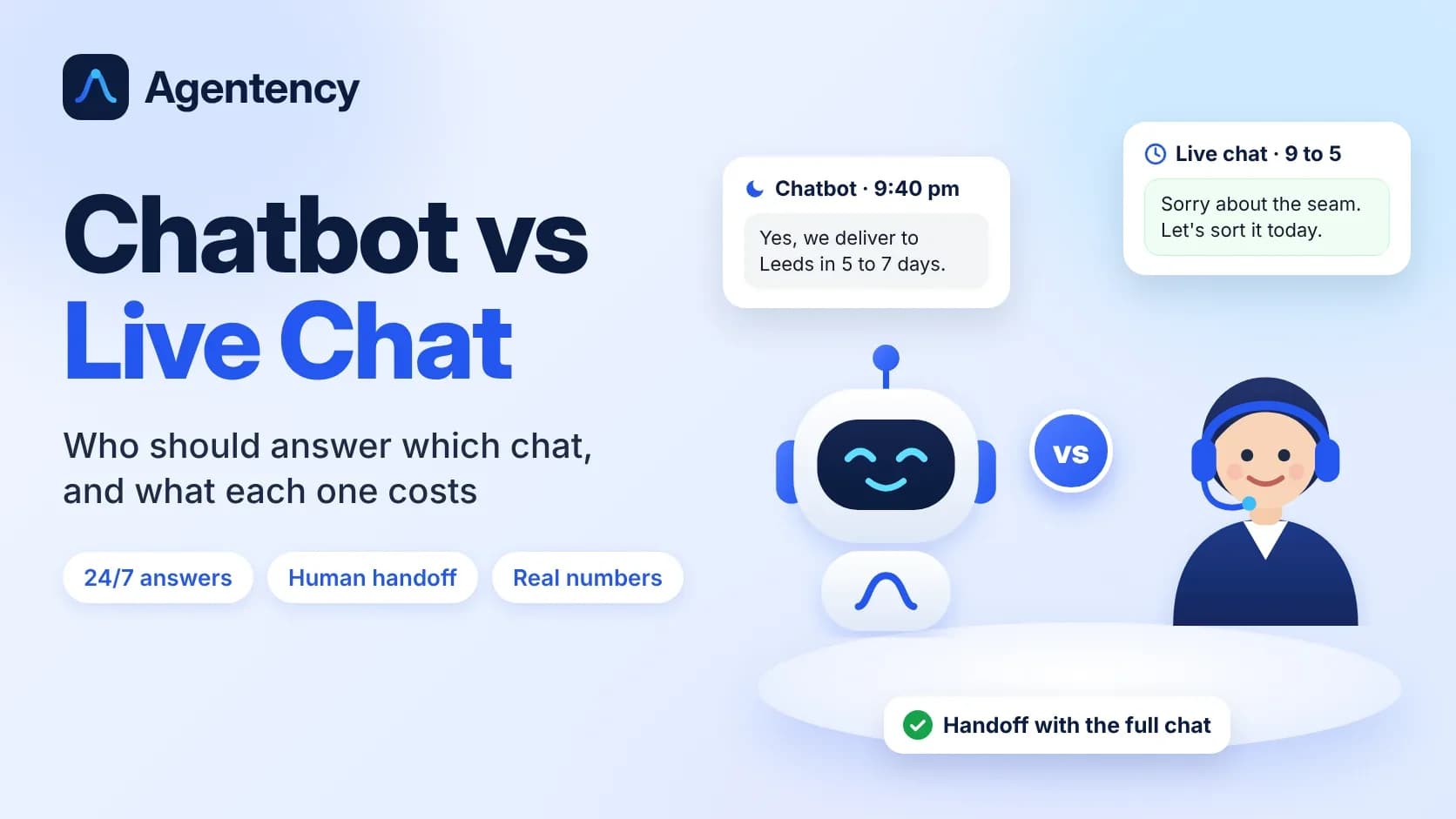
It's Tuesday, 9:40 pm.
Your last teammate logged off at six.
Two chats are waiting. One asks if you deliver to Leeds. The other says a sofa arrived torn.
The first one has an answer on your website. The second one needs a person.
That's the whole chatbot vs live chat question in two messages. Who should answer which one, and what happens when nobody is online?
What's the Difference Between a Chatbot and Live Chat?
A chatbot is software that answers customer questions in a chat window, using your own content or scripted flows, at any hour. Live chat is a chat window where a person on your team reads each message and types the reply. The difference between chatbot and live chat comes down to who answers, when they're available and how much each extra conversation costs.
A few things neither one is:
- Live chat isn't a bot with a human face. In any chatbot vs live agent comparison, the live agent is a person.
- A chatbot isn't always an AI agent. An AI agent can take actions across tools. If you're weighing that, see our guide to AI agent vs chatbot.
Chatbot vs Live Chat at a Glance
Here's live chat vs chatbot, side by side.
| Chatbot | Live chat | |
|---|---|---|
| Who answers | Software, from your content | A person on your team |
| Hours | Every hour, every day | The hours someone is online |
| First reply | Seconds | Depends on who's free |
| Chats at once | No practical limit | A few per person |
| Main risk | A confident wrong answer | A queue, or nobody there |
| What you pay for | A plan, usually by messages | Staff hours, plus software |
| Best at | Repeat questions with a written answer | Refunds, complaints, judgment calls, sales |
A chatbot is cheap to keep open. A person is expensive to keep online.
Chatbot vs Live Chat Cost at Your Volume
Most AI chatbot vs live chat comparisons stop at "chatbots are cheaper". Here's the math at three volumes a small business actually sees.
The assumptions, stated once:
- Wage: $21.53 an hour, the BLS median for customer service representatives in May 2025. That's wages only, before taxes and benefits.
- Human time: 6 minutes per chat a person handles. This is an assumption.
- Chatbot replies: 3 AI replies per chat, each counted as one message. Also an assumption.
- Chatbot answers 70% of chats and passes the rest to your team. Agentency doesn't publish an average resolution rate, so this is a planning figure, not a promise.
- Plan prices: Agentency, billed yearly, checked on 24 November 2026. Starter is $15.17 a month for 500 messages, Standard is $79.17 for 4,000, and extra messages cost $20 per 1,000.
Example 1: 300 chats a month, the owner answers
| Live chat only | Chatbot plus handoff | |
|---|---|---|
| Human time | 30 hours | 9 hours (90 handed off) |
| Staff cost | $646 | $194 |
| Plan cost | Live chat software | $35.17 (Starter plus one top up) |
| Total | $646 plus software | $229 |
So what? The owner gets 21 hours back a month, and the chats that come in at night still get an answer.
Example 2: 900 chats a month, one person on chat 9 to 5
Here live chat costs what it takes to keep someone online, not how many chats come in.
| Live chat only | Chatbot plus handoff | |
|---|---|---|
| Hours someone must be online | 173 a month | None fixed |
| Staff cost | $3,732 | $581 (27 hours of handoffs) |
| Plan cost | Live chat software | $75.17 (Starter plus three top ups) |
| Total | $3,732 plus software | $656 |
| Hours of the week covered | 40 of 168 | All 168 for routine questions |
So what? You pay for 173 hours of availability to handle about 90 hours of chats, and the other 128 hours a week stay dark.
Example 3: 2,000 chats in a sale month, and it goes wrong
The plan said the chatbot would answer 70%. Then the sale terms never made it into the knowledge base.
| As planned | Sale terms missing | |
|---|---|---|
| Chatbot answers | 70% | 45% |
| Chats handed off | 600 | 1,100 |
| Staff time | 60 hours ($1,292) | 110 hours ($2,368) |
| Plan cost | $119.17 | $119.17 |
So what? One missing page cost about $1,076 in staff time. The fix wasn't more staff. It was adding the sale terms and checking which questions went unanswered.
For pricing models in more depth, see what an AI chatbot costs.
One Conversation, Three Outcomes
Here's what running both looks like inside one chat. The visitor asks two questions. The chatbot answers the first, declines the second and hands over. Then a teammate replies in the same window.
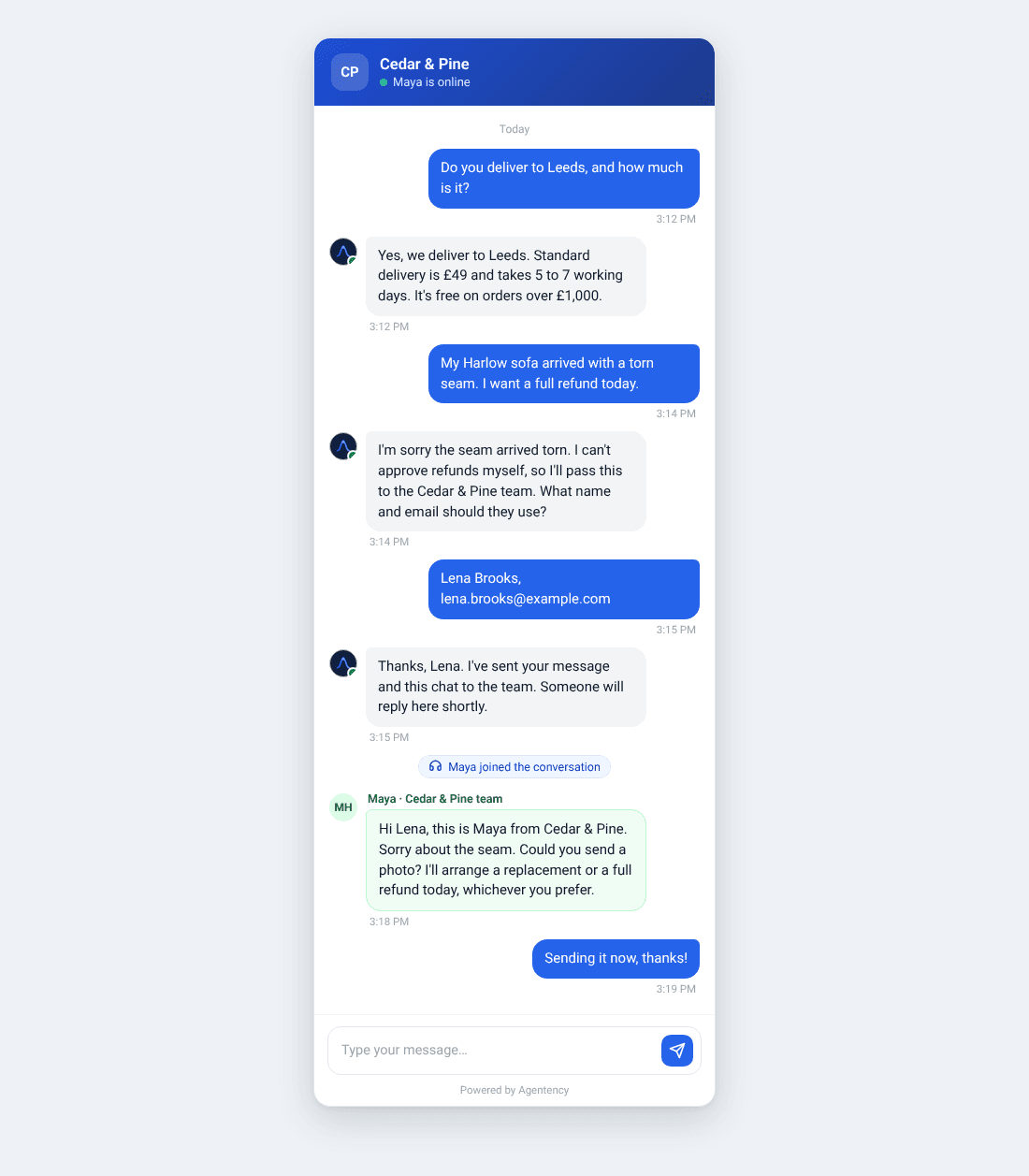 Sample conversation. The chatbot answers, declines and hands over. A person finishes the job.
Three things happened:
- It answered from content. Delivery to Leeds was on the website, so the reply took seconds.
- It declined. A refund is a judgment call. The chatbot didn't promise one.
- A person took over. Maya saw the whole chat and replied without asking Lena to repeat anything.
On the team side, that chat shows up in Conversations marked as handed off, next to the ones the chatbot resolved on its own.
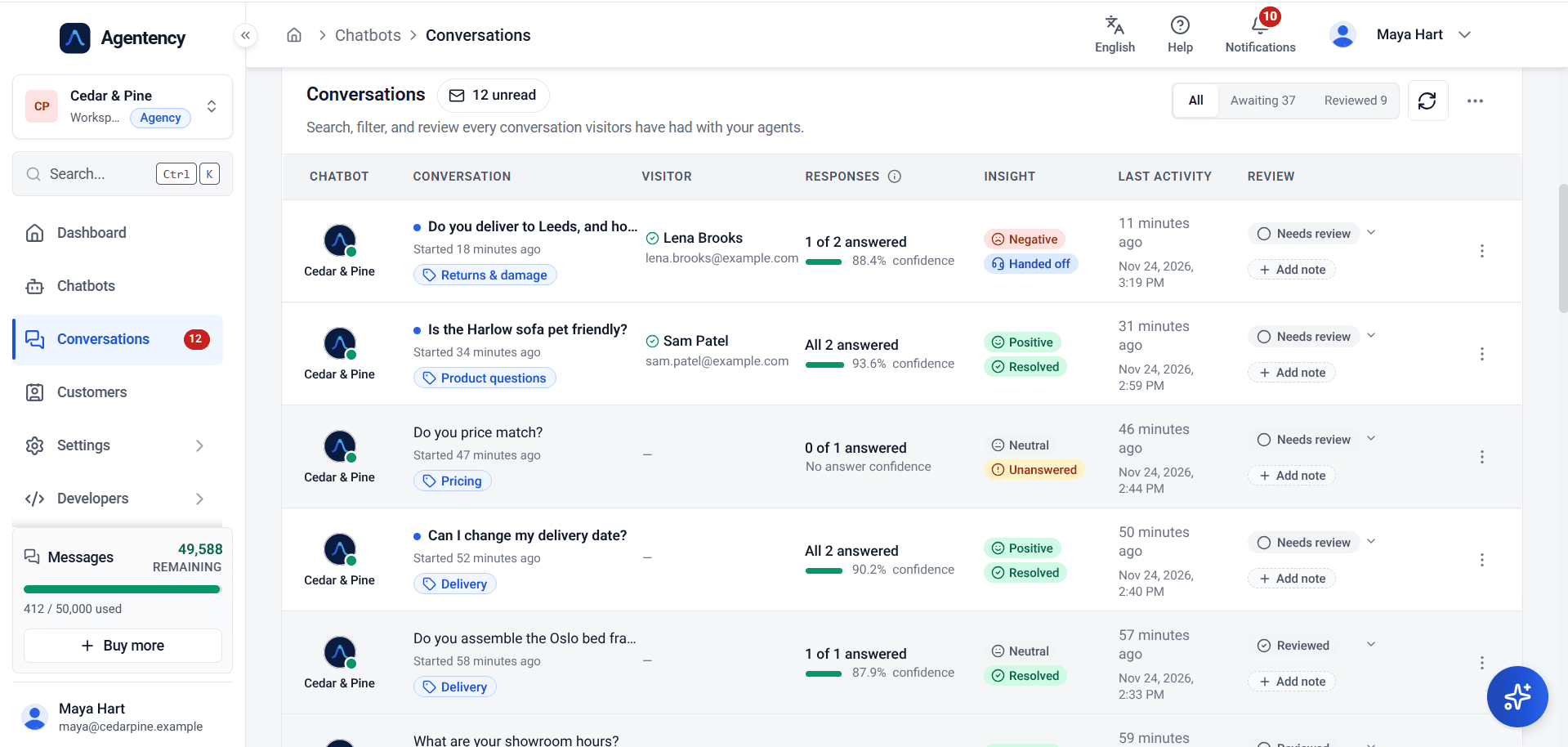 Sample data. Handed off, resolved and unanswered chats in one list.
Let the chatbot take the questions you've already answered. Start free.
Do Customers Prefer Live Chat or Chatbots?
When people weigh chatbots vs live chat, they use chatbots more than they choose them. A YouGov survey of Americans from March 2025 shows the gap:
| Channel | Tend to use it | Prefer it |
|---|---|---|
| Phone | Nearly 70% | 35% |
| 63% | 23% | |
| Live chat | 31% | 10% |
| Chatbots | 18% | 1% |
Five9 reported in October 2024 that 75% of consumers prefer a real person for support, and 48% don't trust information from AI bots.
That doesn't mean customers refuse bots. It means they refuse bots with no way out. In a Gartner survey of 3,566 customers in early 2026, 87% said access to a human agent is essential when companies use generative AI for service. Only 27% would try a chatbot again after a bad experience.
Customers accept a chatbot that knows when to hand over. They punish one that doesn't.
When to Choose a Chatbot, Live Chat or Both
The live chat vs chatbots choice comes down to three things: how often questions repeat, when chats arrive and what a wrong answer costs.
| Your situation | Start with |
|---|---|
| Most questions repeat, and the answers are on your site | Chatbot, with handoff |
| Chats arrive evenings and weekends | Chatbot, with handoff |
| Few chats, and each one is a sale or a custom quote | Live chat |
| Refunds, complaints or account problems are common | Both, with clear handoff rules |
| No written answers yet | Live chat first, then write them down |
Still deciding whether a chatbot is worth it at all? Start with the benefits of chatbots in customer service.
A furniture store
Delivery areas, lead times and care instructions repeat all day. A chatbot covers them. Damage claims go to a person.
A custom kitchen fitter
Every chat is a quote with measurements and judgment. Live chat earns its cost here, with a chatbot only for hours and service areas.
How to Run a Chatbot and Live Chat Together
1- Write down the answers first
Why: a chatbot is only as good as the content it reads. Tip: start with the 20 questions you answer most.
2- Decide what the chatbot must never answer
Why: refunds, damage claims and anything about safety need a person. Tip: list them in the handoff rule, in plain words.
3- Choose who gets the handoff
Why: a handoff nobody reads is worse than no chatbot. Tip: send it to a shared inbox, not one person.
4- Tell visitors what happens next
Why: "someone will reply here" sets the right expectation when nobody is online. Tip: say whether the reply comes in the chat or by email.
5- Read the unanswered questions every week
Why: each one is a page you haven't written yet. Tip: fix the top three before adding anything new.
For handoff triggers and timing in detail, see when a chatbot should hand off to a person.
Common Mistakes
A chatbot with no way out. Why it matters: only 27% of customers would try a chatbot again after a bad experience. The fix: a handoff rule and a visible route to a person.
Live chat with nobody online. Why it matters: an "online" widget that goes quiet at 6 pm reads as being ignored. The fix: let the chatbot answer after hours and pass the rest on.
Letting the chatbot improvise policy. Why it matters: a guessed refund rule becomes a promise. The fix: put the policy in writing, or hand the question off.
Hiding that it's a bot. Why it matters: in the EU, the AI Act requires telling people when they're dealing with an AI system, and customers trust it less when they find out late. The fix: name the bot as a bot in the greeting.
How Agentency Handles Chatbot and Live Chat
What if the chatbot took the first five minutes of every chat, and your team took the rest? That's how Agentency runs live chat and chatbot work in one window.
It answers from your content
Agentency answers from the website pages, documents and product details you add. When the answer isn't there, it says so instead of guessing.
It hands off with a rule you write
Human handoff is a Call Action. You describe when to hand off, add up to 10 email addresses, and can post the alert to Slack, Microsoft Teams or Discord. Call Actions start on the Starter plan.
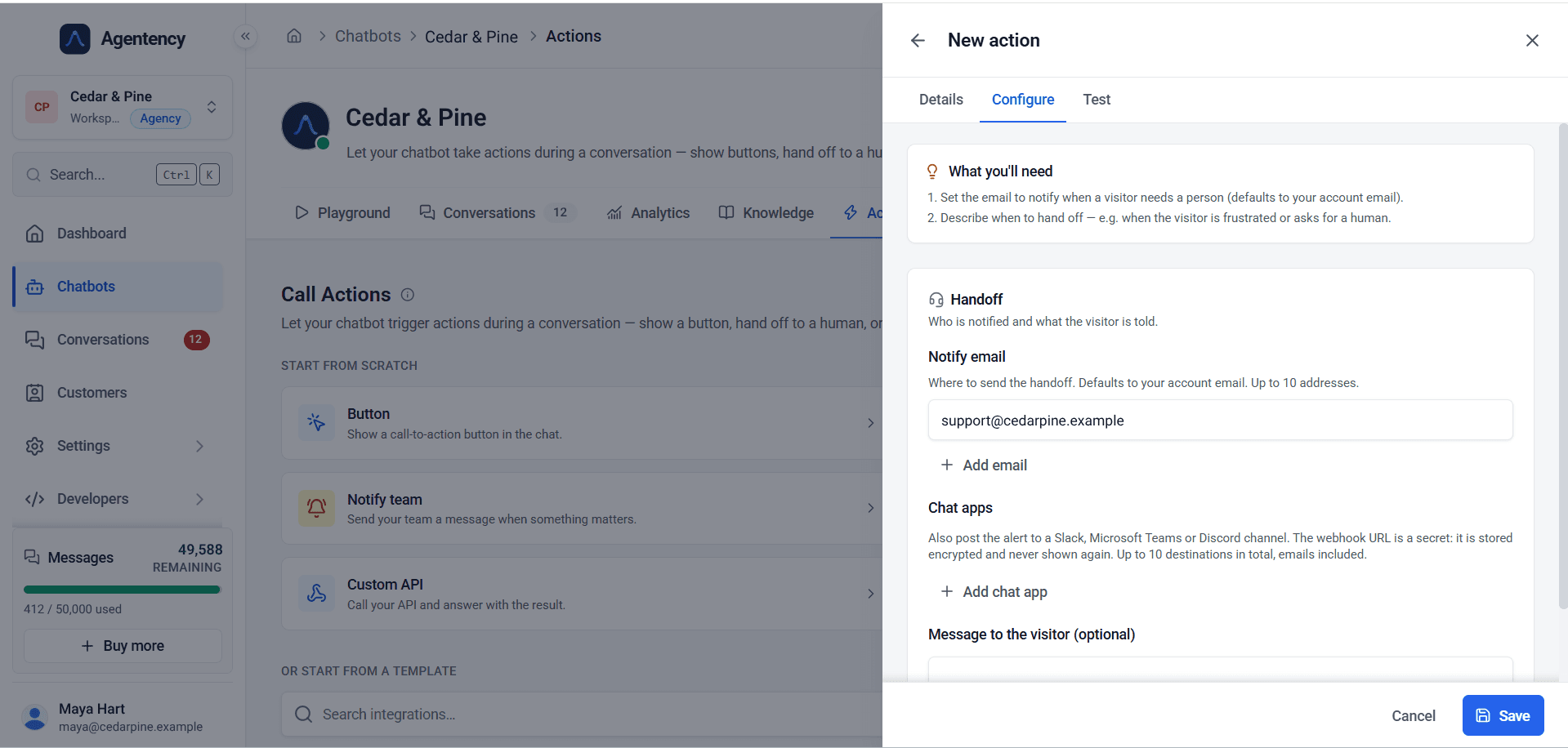 Sample data. The handoff action and where the alert goes.
A teammate replies in the same chat
After a handoff, someone on your team can reply to the visitor in the chat window, with the whole conversation in front of them.
Your whole team is included
Every plan includes unlimited teammates, so you can group the people who answer handoffs into a team and give them access to the chatbot.
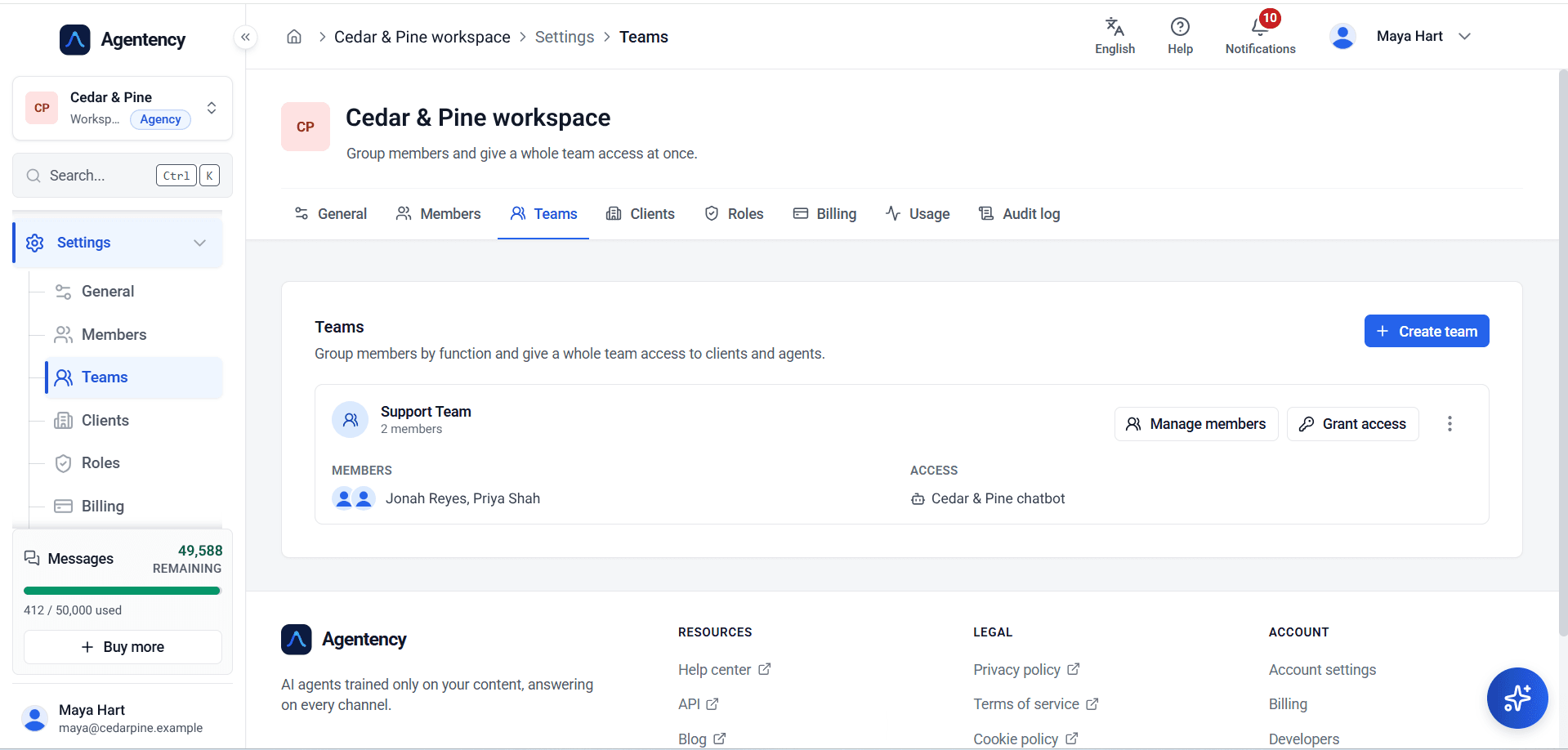 Sample data. A support team with access to one chatbot.
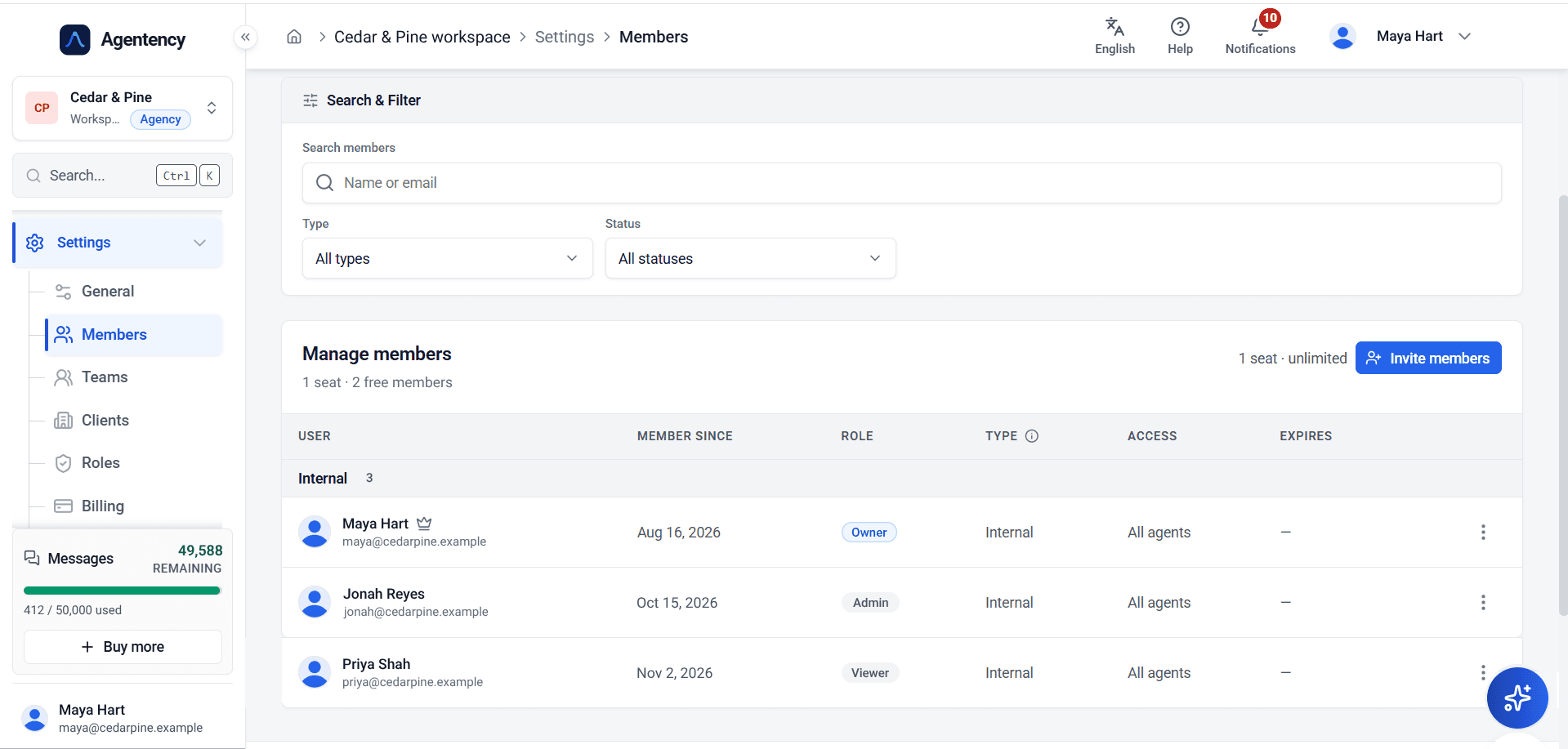 Sample data. Three teammates on one workspace.
It shows you the split
The dashboard tracks resolution rate and handoff rate over 7, 30 and 90 days, so you can see whether the chatbot is pulling its weight.
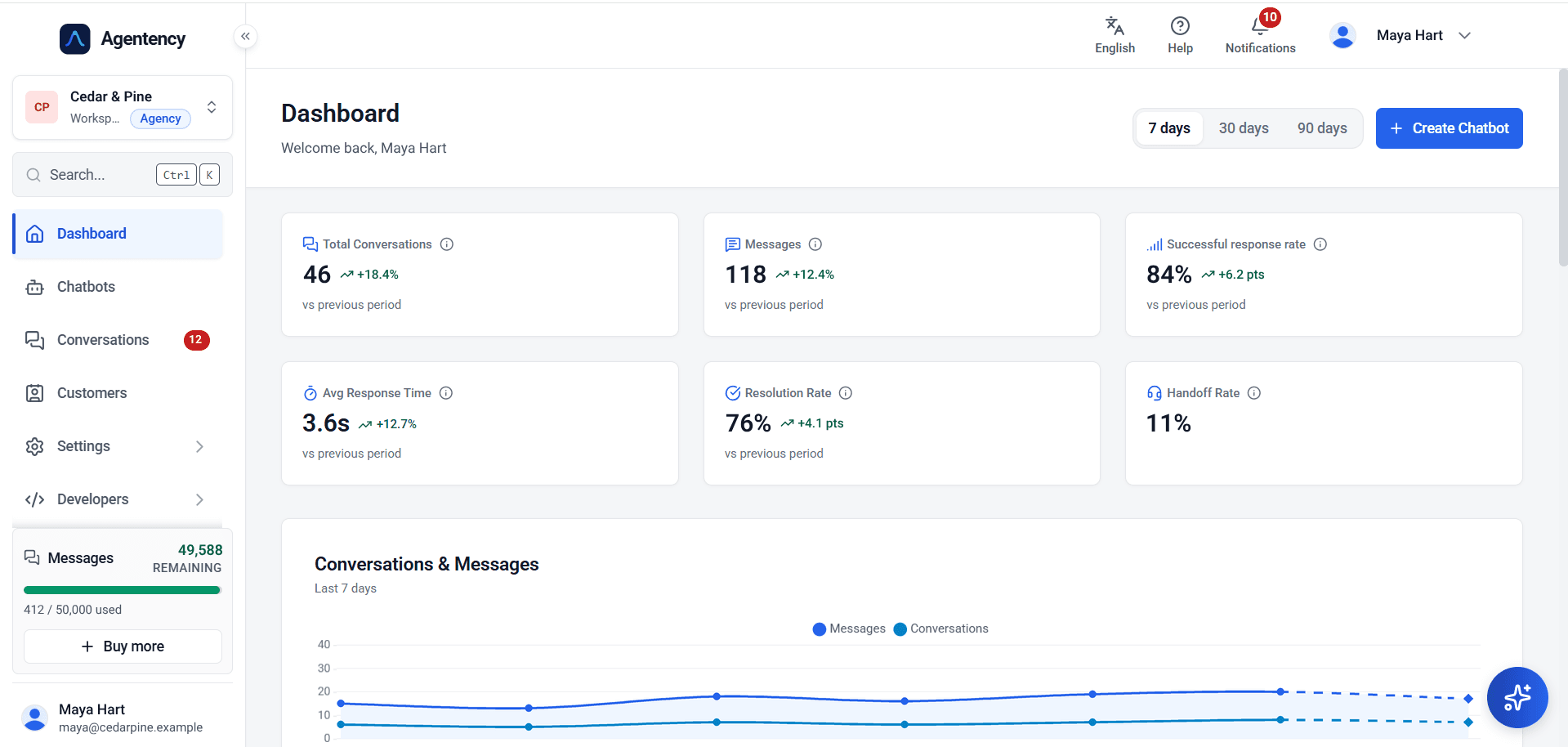 Sample data. Resolution rate and handoff rate side by side.
For the support team view, see our AI chatbot for customer support teams.
Back to 9:40 pm
The Leeds question got an answer in seconds.
The torn sofa got a person, the next time someone was online, with the whole chat in front of them.
That's not chatbot or live chat. It's not even live chat vs chatbot. It's each one doing the job it's good at.
Let the chatbot take the night shift, and your team take the rest. Start free.
Frequently asked questions
Written by