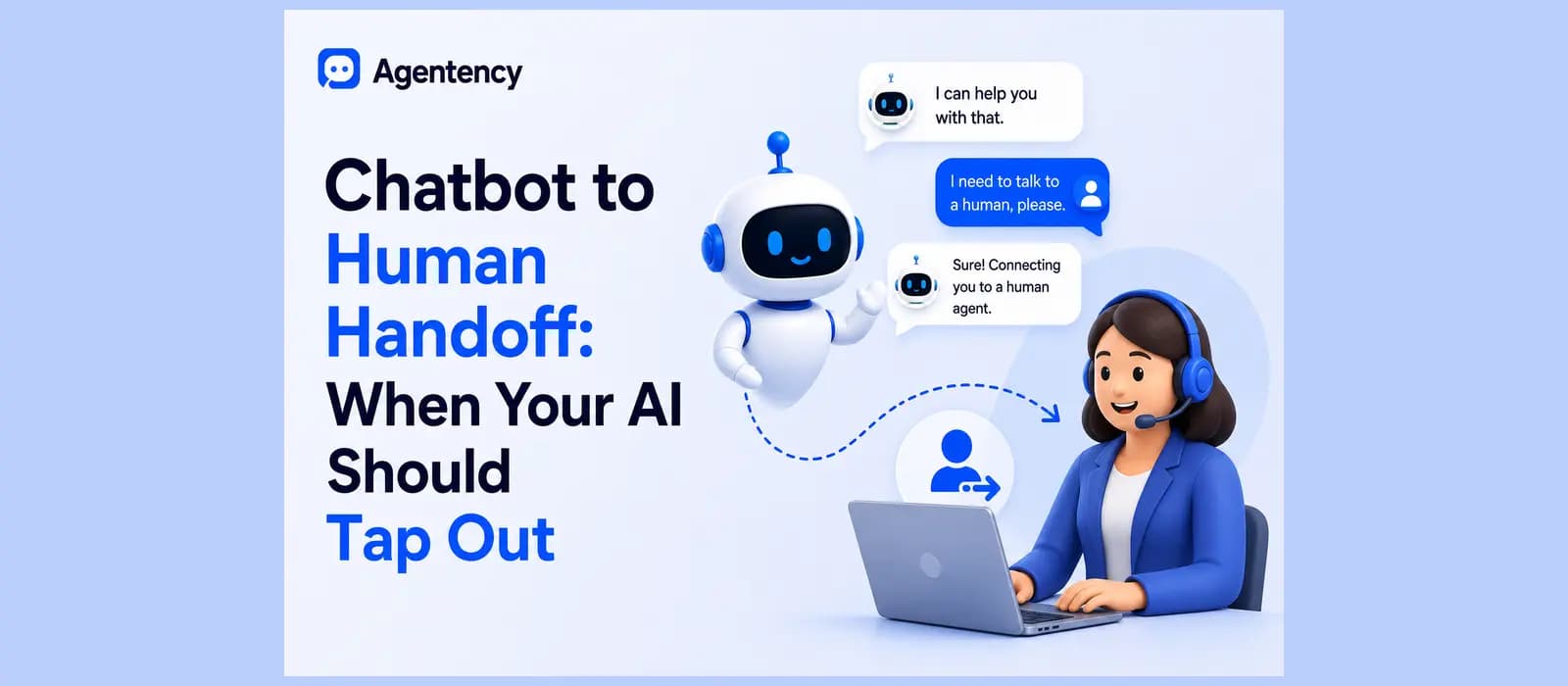
Chatbot to Human Handoff: When Your AI Should Tap Out
What Chatbot to Human Handoff Actually Means
A shopper messages your WhatsApp number at eleven at night asking why her order shows delivered when the box never showed up. Your AI agent answers fast. It pulls the tracking number, confirms the delivery date, and repeats those same two facts a second time because that is all it has. The shopper is still standing in her hallway with no box. This is the exact moment a chatbot to human handoff is supposed to solve, and it is also the exact moment most support setups quietly fail.
Chatbot to human handoff means moving a conversation from an AI agent to a live person, along with everything the AI already knows about that conversation. Search for human handoff meaning and you will find a dozen slightly different definitions, but the practical version is simple. The bot stops, a person starts, and the customer never has to explain the order number a second time.
Get that part wrong and the handoff is worse than no handoff at all. A customer who already typed their order number, their complaint, and their preferred resolution once should never be asked to type it again just because a different entity picked up the conversation. That single repeat request is where trust leaks out of an otherwise good support experience.
Some people call this a chatbot-human handover instead of a handoff, and both words describe the same transfer. It also shows up written as a plain chatbot to human text handoff in a lot of searches, since a growing share of this now happens over SMS and messaging apps rather than a website widget with a chat bubble in the corner. The word changes. What actually needs to happen does not.
This piece assumes you already know what a customer service chatbot does day to day. If you want the fuller picture first, our guide to customer service chatbots covers that ground. What follows here is specifically about the moment that chatbot decides it is out of its depth.
Escalation and Handback, the Two Directions
Most guides on this topic only describe one direction. The bot hits a wall, a human takes over, and that is the end of the story they tell. A complete handoff also has a way back. Once the human resolves the issue, the bot can pick the conversation up again for the parts that do not need a person: a shipping confirmation, a quick satisfaction check, a follow up two days later to confirm the box actually arrived.
Skipping the handback wastes the exact context you just spent effort building. The transcript, the resolution, the customer’s tone, all of it is sitting right there. A bot that goes silent after handoff and never comes back is a bot that treats a resolved conversation like a dead end instead of a loop that can close itself.
Why It Matters More on WhatsApp Than on a Website Widget
On a website chat widget, a handoff is mostly a design problem. Swap the little robot icon for a human agent’s name, carry the transcript across, and the customer barely notices. On WhatsApp, it is a policy problem too, and that difference changes what a handoff is even allowed to do. We get into the specifics a few sections down, because almost nothing written about this topic mentions it, and it is the one thing a WhatsApp first business cannot afford to skip. If you are still comparing tools for this specific channel, our roundup of WhatsApp AI agent platforms is a reasonable place to check how different vendors approach the same problem.
See what a WhatsApp handoff looks like on an agent that already knows your customers before it ever needs to escalate. Start free with Agentency.
The Triggers That Should Force a Handoff
Nearly every guide on chatbot handoff lists roughly the same five triggers. That is not because everyone copied each other. It is because these five genuinely cover the situations where a bot should stop talking and a person should start.
The Customer Asks
Someone types “get me a person,” or the local equivalent, in whatever language they are writing in. This should never require a second attempt from the bot. Any extra “let me try one more thing first” tacked onto a direct request just adds friction on top of frustration that is already there. Free agent handover bot behavior, as some people search for it, starts here: the moment a person asks, hand off, no argument.
The Bot’s Confidence Drops
A well built agent knows the difference between an answer it found and an answer it guessed. When the retrieval behind a reply comes back thin, the honest move is to say so plainly and offer a person, not to fill the silence with something that sounds confident and happens to be wrong. This is the single trigger most teams skip building, because it requires the retrieval layer to expose its own uncertainty to whatever decides when to escalate, and that is genuinely more work than a keyword list.
Sentiment and Frustration
Tone shifts before words like “cancel” or “refund” ever show up in the message. A customer who has gone from a normal, chatty first message to short, clipped replies over the following three exchanges is telling you something, even if they never once ask for a human directly. “Ok” and “fine” are not the same reply when the third message in a row is just “ok.”
Waiting for an explicit request from someone who is already frustrated is a way to lose a customer while technically following the rules. By the time a frustrated person actually types “get me a human,” they have usually already decided the brand does not care much either way. Catching the shift two messages earlier is the difference between saving the relationship and just processing the complaint.
Repeated Failure on the Same Issue
If the bot has tried to resolve the same intent three times without real progress, a fourth attempt is not persistence. It is delay with extra steps. Progress here means the specific issue moved forward, not that the conversation kept going. A chat that continues without progress is a customer being kept busy, and customers notice the difference immediately.
A customer rephrasing the same question three different ways, getting three variations of the same unhelpful answer, is the clearest signal a bot can get that it has hit a real wall. The fix is not a smarter fourth reply. It is recognizing that the first three already answered the question of whether this bot can solve it alone.
Business Rules
Some conversations should route straight to a person by default, regardless of how confident the bot is. A high value order. A legal or compliance sensitive complaint. A named VIP account. These are policy calls that belong to whoever owns customer experience, not something a confidence score should be deciding on its own. A ten dollar question about store hours and a two thousand dollar dispute over a missing shipment should never be handled by the same rules, even if the bot is equally confident answering both.
Automating chatbot to human handoff processes means wiring all five of these triggers directly into the agent so escalation happens on its own, in real time, instead of relying on someone watching every conversation live and catching the moment by hand. None of these five triggers work well alone. A bot that only listens for explicit requests will miss the customer who never asks and just leaves quietly instead. A bot that only watches confidence scores will miss the customer who got a technically correct answer to the wrong question. Running all five in parallel, rather than picking one and calling it done, is what actually closes the gap.
What the Agent Needs on Their Screen
Here is the part almost every generic checklist skips entirely. Getting the trigger right and then botching the context transfer still ends with an angry customer, just a slightly later one.
The Context Package
A human agent picking up a chatbot handoff needs the full transcript, a short summary of what the customer actually wants, whatever the bot already tried and however that went, and any details already collected along the way. Name, order number, the specific complaint in the customer’s own words. None of it should need repeating, and the agent should not have to hunt for it across three different tabs to find it either.
Picture the alternative. An agent opens a new chat that just says “customer requested a human agent.” No transcript, no order number, no idea what was already tried. The agent’s first message becomes “Hi, how can I help you today,” and the customer, who has already explained this once to a bot, has to explain it again to a stranger. That is not a handoff. That is a cold transfer wearing a handoff’s name.
What Happens When Context Does Not Transfer
Skip this step and you get the exact line that shows up in nearly every customer service survey ever run: “I had to explain it all over again.” That one sentence is the entire difference between a handoff that works and one that quietly makes things worse, and fixing it costs nothing except attention to how the transfer is built.
A useful test, and one worth running on your own setup before trusting it: trigger a handoff yourself and read exactly what the human side sees. If it is a blank thread with a name and nothing else, the handoff has not actually been solved yet, no matter what the button looks like from the customer’s side.
The WhatsApp Handoff Problem Nobody’s Guide Covers
This is the section that a genuinely large number of guides on this exact topic never mention, and it matters more for a WhatsApp first business than almost anything else on this list.
The 24 Hour Customer Service Window
WhatsApp’s Business Platform only allows free form replies for twenty four hours after a customer’s last message. Outside that window, a business can only send pre approved template messages, not open conversation. Meta documents this window directly as part of the platform’s own rules. A chatbot to human handoff that lands a customer in front of a human two hours after that window closed is not a smooth handoff. It is a dead end dressed up as good intentions, because the human on the other side may not even be able to reply the normal way anymore.
This single detail is why so much generic handoff advice does not translate cleanly to WhatsApp. A web widget has no such clock running. WhatsApp always does.
Template messages exist for exactly this reason. They are pre approved, fixed format messages a business can send outside the twenty four hour window, things like a delivery update or an appointment reminder, but they are not a substitute for open conversation. A human agent cannot use a template to actually work through a billing dispute or talk someone through a return. If the window has already closed by the time a person is ready to reply, the options narrow fast, and a customer who was expecting a real conversation gets a form letter instead. The message fees on either side of that window are covered on our own pricing page, since replying inside the window and sending a template outside it are billed differently by Meta.
Designing the Handoff Around It Instead of Getting Blocked by It
The fix here is not clever engineering. It is timing discipline. Flag the handoff the moment a trigger actually fires, not whenever a human happens to be free to look at it. Notify the team fast enough that a real reply goes out while the window is still open. And if the window is genuinely close to closing, say so honestly in the conversation rather than letting a bot reply create the illusion that there is unlimited time left to sort things out.
A business running support hours that do not match when its customers actually message it is the most common way this quietly breaks. A shopper writing at midnight her time might be writing at a completely different hour for a support team based somewhere else entirely. If nobody on the team sees the handoff until the next working day, the window has usually already closed, and the conversation has to restart from a template message instead of picking up where it left off.
Curious what this actually looks like on a WhatsApp first agent, rather than a website widget with WhatsApp bolted on as an afterthought? See how Agentency connects to WhatsApp.
How Fast Is Fast Enough
Time to Human Benchmarks
In chat, thirty seconds from the trigger firing to an actual human presence is a healthy number for a chatbot handoff. Under fifteen seconds is genuinely good. Past sixty seconds, a customer has usually already started typing something considerably worse than their original complaint, and the handoff arrives too late to prevent it rather than in time to fix it.
Voice is stricter still. Five seconds of silence after a bot hands off a call is roughly the ceiling before a caller assumes the line dropped. Anything longer needs a bridge line, something as simple as “connecting you now, one moment,” and a visible timer somewhere on the receiving agent’s screen so nobody is guessing how long the caller has already been waiting.
Handoff Rate Benchmarks by Use Case
There is no single correct handoff rate that applies everywhere. Beauty and skincare brands tend to sit around fifteen to twenty percent, since ingredient and sensitivity questions genuinely need a person’s judgment. Electronics and technical support often run higher, sometimes twenty five to thirty five percent, because compatibility questions get complicated fast and rarely have a single clean answer. The number itself matters less than its direction. A handoff rate that trends down over time, as the bot’s knowledge closes real gaps, is a sign the whole system is working the way it should.
How Agentency Handles Chatbot to Human Handoff
We built human handoff into Agentency as a Call Action the agent can trigger mid conversation, not as a separate tool bolted onto the side of the chat widget after the fact. If you have not set up an agent yet, our no-code chatbot builder guide walks through the wizard end to end, including where this exact setting lives.
What Happens When the Agent Flags a Person
When an Agentency agent hands off, it flags the conversation and notifies the team, and the full conversation transcript travels with it. Nobody on your side opens a blank chat and has to ask a customer to start from the beginning again, because the context that made this handoff necessary in the first place is already sitting there waiting for them. Handoff rate itself shows up as a tracked number on the account dashboard, right next to resolution rate and average response time, with seven, thirty, and ninety day trend views, so you can actually watch whether that number is moving in the direction it should.
That trend view matters more than the raw percentage on any single day. A handoff rate that sits at twenty percent and has sat there for three months tells a different story than one that started at thirty five percent and has been dropping every month since, even though the second number is currently higher. The second business is watching its bot get better at the exact questions that used to require a person.
What to Confirm in Your Own Setup
Working note for internal review, to be removed before this goes live: the exact logic behind when the agent decides to flag a conversation, which channel the team notification actually lands in, and how this behaves once a WhatsApp conversation sits outside the twenty four hour window all still need direct confirmation. Nothing stated above claims more than what is already documented.
Ready to see a handoff that actually carries context instead of quietly dropping it somewhere between the bot and the human. Start free with Agentency.
Key Takeaways
- A chatbot to human handoff runs in two directions. Escalation to a person matters, and handback to the bot afterward matters just as much.
- Five triggers cover most real situations: an explicit request, low confidence, negative sentiment, repeated failure on the same issue, and standing business rules.
- The human agent needs the full context package on arrival: transcript, summary, what the bot already tried, and anything already collected. Not a notification with a name attached.
- WhatsApp’s twenty four hour customer service window changes what a handoff can actually do, and almost nothing written on this topic mentions it.
- How fast a human actually shows up matters as much as the decision to escalate in the first place.
Frequently asked questions
What does chatbot to human handoff mean?
It means transferring a conversation from an AI agent to a live person without losing what the AI already knows: the transcript, the customer’s intent, and anything already collected along the way.
What are chatbot to human handoff best practices?
The chatbot to human handoff best practices that actually hold up are simple to state and harder to build. Keep the trigger honest by escalating before the bot guesses, not after it guesses wrong. Transfer the full context every single time, not just on the conversations that feel important. And measure how quickly a human actually shows up, not just whether an escalation button exists somewhere in the chat.
How do you automate the handoff process?
Automating chatbot to human handoff processes means wiring the trigger logic directly into the agent itself: confidence scoring, sentiment detection, keyword matching, and standing business rules, so escalation fires on its own instead of depending on someone watching every conversation live.
Does chatbot to human handoff work differently on WhatsApp?
Yes. WhatsApp’s twenty four hour customer service window limits free form replies to that window after a customer’s last message, so timing the handoff correctly matters in a way it simply does not on a website widget, where no such clock is running.