How to Make a Chatbot: A Beginner's Guide
Somebody on your team says the words "we should probably get a chatbot" and within about ten minutes of searching, you've got seventeen browser tabs open, half of them showing Python tutorials and the other half showing enterprise sales pages with no pricing on them. Nobody actually answers the question you asked.
That's genuinely strange given how common the question is. Making a chatbot for your actual business is one of the more approachable things you can do this month, not one of the harder ones. The confusion mostly comes from search results mixing three completely different audiences into one page, developers learning to code a bot from scratch, students taking a certificate course, and business owners who just want something live by Friday. This guide is written for that third group.
So let's slow down. This is how to make a chatbot for someone who has never made one, written by someone who watches people build their first one nearly every week.
How to Make a Chatbot Actually Means Two Different Things
Before anything else, there's a mix up worth clearing out of the way, because it sends a lot of beginners down the wrong path entirely.
Some people searching how to make a chatbot actually want to build their own version of ChatGPT, a general purpose assistant that can talk about anything. That's a real project, and it's a genuinely hard one, involving a language model, training data, and infrastructure most small businesses have no reason to touch.
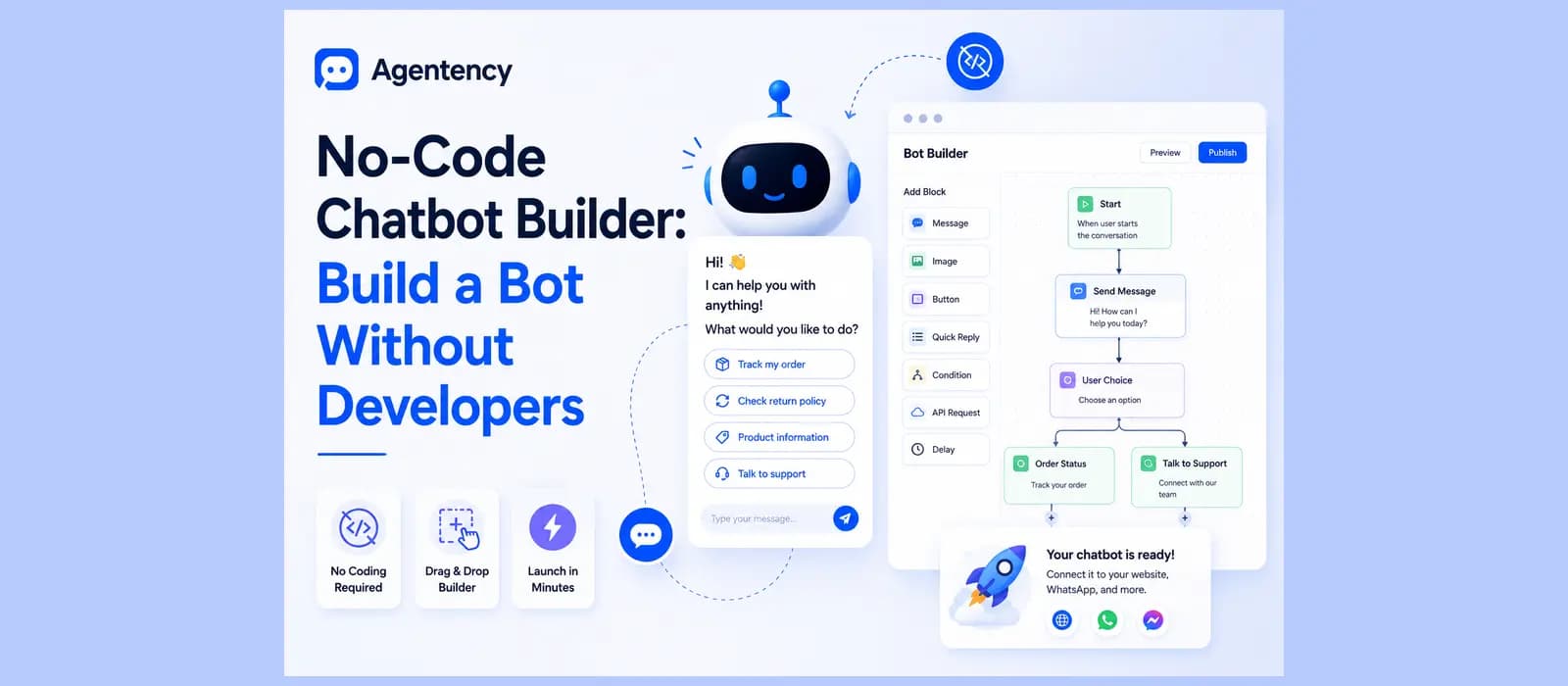
Most people searching this phrase want something much more specific and much more achievable. They want a chatbot that knows their business, answers their customers' actual questions, and lives on their website or WhatsApp. That second thing is what this guide is about, and it's the one you can have running today, not in six months.
People type this search a dozen different ways too. How to make a chatbot ai, how to make an AI chatbot, how to make a chat bot, how to make an AI bot, sometimes just create simple chatbot or create your own bot. It's all the same underlying question, asked by someone who hasn't built one yet, and none of the phrasing changes the answer. We've also written more on the actual difference between an AI agent and a chatbot, worth a read if you want the fuller version of that distinction.
What Kind of Chatbot Are You Actually Trying to Make
Figure this out before you touch any tool, because it changes everything downstream.
The FAQ Bot, Your Easiest First Build
If this is your first chatbot, a faq chatbot is the easiest, lowest risk place to start. You already have the questions, they're sitting in your inbox and your WhatsApp right now, the same ten things people ask over and over. A chatbot that answers those well, and says so honestly when it doesn't know something else, is already doing real work.
Chatbot for a Website, Not a Mobile App
If you searched how to make a chatbot app expecting to build something in an app store, it's worth clearing up early. Almost everyone who wants this is actually looking for a chat widget on their website, how to make a chatbot for a website is really the same question as how to make a chatbot for website, just phrased differently, not a native mobile app with its own download and install process. That's good news, since a widget takes an afternoon and a native app takes a development team.
There's one real exception worth knowing about. If your customers already live inside an app they didn't have to download specifically for you, WhatsApp, Instagram, Messenger, Telegram, you can deploy the same chatbot there too, which gets you the "it's in an app" feeling without actually building one. For a lot of businesses outside the US specifically, that's not a nice-to-have, it's where most of the actual conversation volume already happens.
Customer Service and Lead Generation, the Two Grown Up Versions
Once the FAQ version is working, most businesses grow it in one of two directions. How to build a customer service chatbot, or how to create a customer service chatbot if that's the phrasing you searched, usually means adding order status, returns, and account questions on top of the FAQs, so it's resolving real support tickets instead of just answering generic questions. The other direction is lead generation, qualifying a visitor with two or three questions before they ever fill out a contact form, then handing anyone promising straight to a person.
See what a chatbot trained on your actual business looks like before you build anything. Start free.
How Much Does It Actually Cost, and How Long Does It Take
Three questions come up constantly, and almost nobody answers all three honestly in one place.
How much does it cost to make a chatbot. Free, if you use a no-code platform's free tier and your volume stays low. Ten to a few hundred dollars a month once you're past that, depending on how many conversations you handle. Ten to a hundred thousand dollars if you hire a developer or an agency to build something fully custom from scratch, which almost nobody actually needs. Whatever number you land on, run it against your actual monthly conversation volume before committing, since the sticker price on a pricing page rarely tells the whole story once overage fees enter the picture.
How hard is it to make a chatbot. With a no-code platform, not hard at all, the setup itself takes minutes. What takes real effort is feeding it good content and checking its answers, which is less "hard" and more just paying attention.
How long does it take to make a chatbot. Most teams go from nothing to a working agent in minutes. Getting it genuinely good at answering for your specific business usually takes a focused hour or two, and you keep refining it after that, not before you launch it.
What About a Local AI Chatbot
A smaller number of people search how to make a local ai chatbot, meaning something that runs entirely on their own hardware rather than a cloud service. Usually the actual concern underneath that search is data privacy, not the specific technical setup. If that's your worry, look for a platform with real privacy controls, data deletion, export, and clear rules about what your content gets used for, rather than assuming local is the only way to keep control of your own data. For almost every small business, a properly built cloud platform gets you the same privacy guarantees without the infrastructure headache of running your own servers.
Should You Build It Yourself or Hire Someone
There's a real search out there for chatbot development services, people looking to hire someone rather than build it themselves, and it deserves an honest answer instead of being ignored, which is exactly what every other guide on this topic does.
Hiring a developer or an agency makes sense when your requirements are genuinely unusual, something wired into an internal system nobody else has ever touched, or logic that branches across a dozen specific business rules unique to how you operate. For that narrow slice of cases, paying for custom chatbot development is the right call, and it'll run you real money and real time. This is also where how to make a custom ai chatbot actually belongs as a search, not as a synonym for the no-code path but as its own, genuinely different project.
For almost everyone else, the honest answer is don't. I've watched a business spend months and a serious budget on a fully custom build for a chatbot that ended up answering shipping questions and checking order status, exactly what a no-code platform handles out of the box in an afternoon. Save the custom money for the one piece that's actually custom, if you even have one.
A quick way to test which category you're actually in. Write down the one weird thing your business needs that you assume no off the shelf tool could possibly handle. Then go check, on a real platform, whether it's actually supported before you assume the answer is custom development. More often than people expect, the "impossible" requirement turns out to be a standard feature with an unfamiliar name.
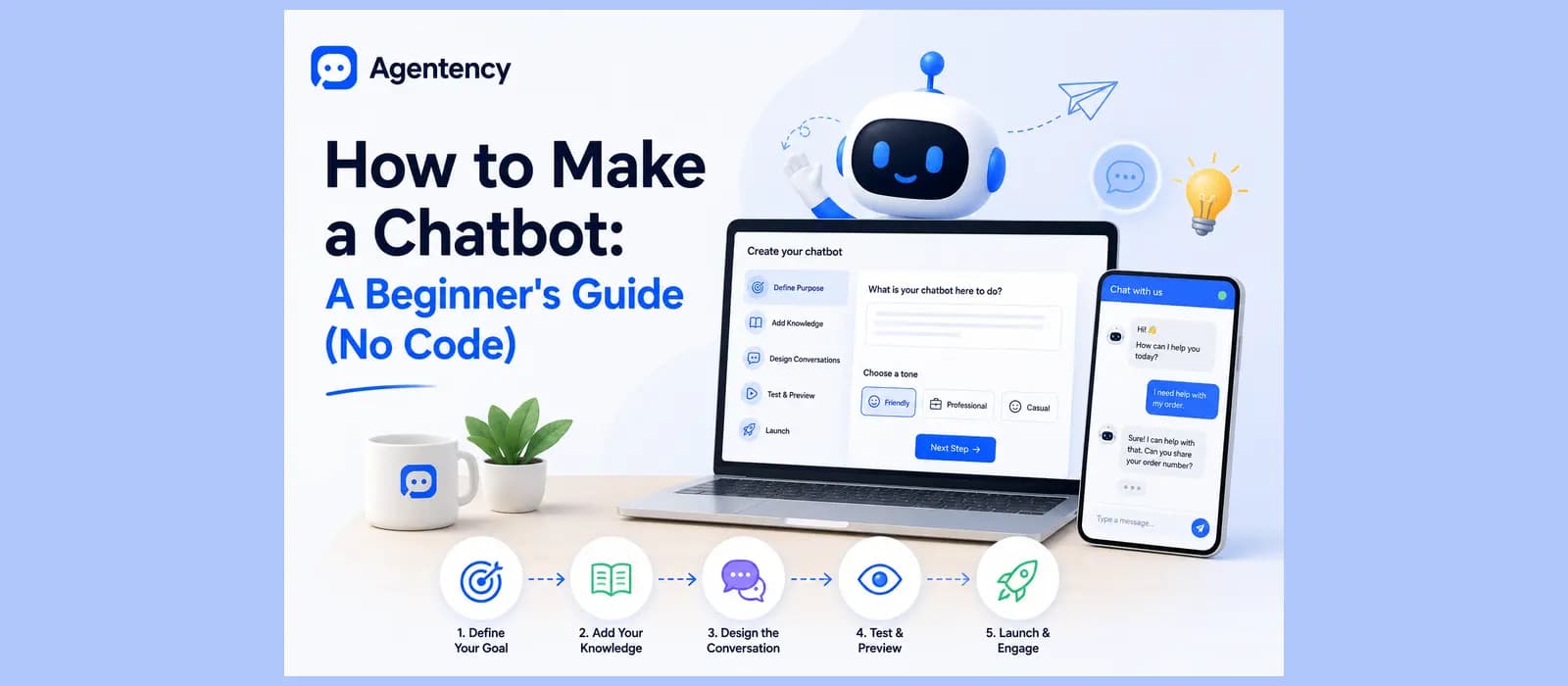
Making Your First Chatbot, Step by Step
Here's the process itself, kept general rather than a tutorial for one specific tool's button layout.
Decide the One Job It Should Do
Pick a single job, answering FAQs, checking order status, or qualifying leads, rather than trying to do all three on day one. Open your inbox and look at the last hundred messages. The question you answer most is where you start.
Choose No-Code or Custom
For the reasons above, this is no-code for almost everyone. If you're not sure, that uncertainty is itself the answer, since a genuine need for custom development tends to be obvious and specific, not a vague feeling.
Gather What It Needs to Know
Your FAQ page, your return policy, your product pages, whatever you already have written down. A chatbot only knows what you actually give it. If your only written return policy is "contact us for details," that's what it'll tell people too.
Here's a quick way to check whether you have enough to start. Open your support inbox, pull the last twenty real questions, and try to answer each one using only what's already written on your website or in your documents. Whatever you can't answer from existing material is a gap to fill in before you launch, not after.
Pick Where It Lives
Website chat at minimum. WhatsApp if a real share of your customers already message you there instead of visiting your site, which is the default in a lot of the world outside the US.
Test It Like a Skeptic
Ask it the real, messy version of the questions your customers actually type, typos and all. Watch what happens when it doesn't know something. A good answer here is admitting it plainly. A bad one is a confident guess.
Launch and Watch the First Week
Go live, then actually check back. The first week teaches you more about the gaps in what you gave it than any amount of planning beforehand.
If you want the fuller, more detailed version of this exact walkthrough, we wrote a complete step by step guide on how to create an AI chatbot that goes deeper into each step. And if you're still deciding which platform to actually use, our breakdown of no-code chatbot builders covers what to look for before you commit to one.
Ready to try the steps above for real instead of just reading them? Start free.
The Mistakes Almost Every Beginner Makes
Nobody else writing about how to make a chatbot actually lists these, probably because most of these guides are written by people selling a specific tool rather than people who've watched a few hundred businesses go through this.
Trying to cover everything on day one is the first one. A chatbot that's supposed to handle support, sales, and onboarding all at once usually ends up mediocre at all three instead of good at one. Start with the single job that eats the most of your team's time, and expand once that part actually works. This applies just as much to a solo founder as it does to a support team of twenty, the instinct to build the whole thing at once shows up at every size of business.
Training it on vague content is the second. If your only written return policy is a single sentence like "contact us for details," that's the entire depth of answer your chatbot can give, no matter how good the underlying AI is. Write the actual policy down properly first.
Launching it and never checking back is the third, and it's the most common one. A chatbot that nobody reviews after week one stops improving right there, permanently, while the business quietly assumes it's still getting smarter on its own. It isn't. Someone has to look at what it couldn't answer and fix the gap, every week, or it plateaus at whatever level it launched at.
Free Options for Your First Chatbot
Looking specifically for how to make a chatbot for free, there are a few genuine routes. Some no-code platforms offer a free tier capped at a workable number of conversations a month, enough to actually test whether this solves your problem before you pay anything. Others are free to install but bill you separately once you connect a second channel or grow past a small volume. Read what the free tier actually includes, not just the word free on the pricing page.
If speed matters more than anything else, we've also written a short guide on setting up a WhatsApp chatbot in about five minutes, which is often the fastest path to something live if your customers are already messaging you there. Think of it as the practical chatbot tutorial version of everything in this guide, condensed into one channel and one sitting.
How to Make a Chatbot with Agentency
Everything above has been general advice for making a chatbot with any tool. Here's exactly what that same process looks like when it's built on Agentency specifically, since this is the part I can speak to firsthand.
Deciding the Job and Picking a Starting Point
Instead of a blank page, new accounts get a guided setup with a "Create your first agent" step and a template gallery, Customer Support, Sales Assistant, Technical Support, HR Assistant, and several more, each already localized in English, Arabic, and Spanish. Pick the one closest to your actual job to be done, or start from scratch if none of them fit.
Gathering What It Needs to Know
Point it at your website and it crawls the pages automatically, or upload documents directly, PDFs, spreadsheets, Word files. OCR handles scanned documents and Arabic PDFs too, so nothing gets left out just because it wasn't born as clean text.
Choosing the Model and Writing the Persona
Pick which AI model powers the agent's answers, Qwen, DeepSeek, Google Gemma, GPT OSS, GLM, or Anthropic Claude are the current options, and the platform automatically applies an accuracy tuned setup for whichever one you pick. Then write the persona and instructions in plain language, what it should sound like, what it should never say, in a plain text box, not a line of code.
Picking Where It Lives
Deploy the same agent to a website widget, a shareable hosted chat page if you don't want to touch your site at all, or any of ten messaging channels including WhatsApp, Instagram, and Telegram, all from one build.
Testing It Before Anyone Else Sees It
Chat with your own agent in a live preview before customers ever see it, the same way you'd test any chatbot before launch, just without leaving the dashboard to do it. If an answer isn't right, update the knowledge behind it and watch the reply improve immediately, no rebuilding required, no waiting on a developer to redeploy anything.
Launching and Watching the First Week
Once it's live, the Needs Attention panel in your dashboard shows exactly which questions it couldn't answer, so you close that gap without digging through raw chat logs yourself, the same habit covered in the mistakes section above, just built directly into the product instead of left as something you have to remember to do. This is genuinely the habit that decides whether a chatbot keeps getting better or quietly stalls out after month one, and it's worth tracking against resolution rate, the number that actually tells you whether it's working rather than just how many people talked to it.
What It Costs to Start
There's a free plan, one agent, fifty messages a month, enough to genuinely try the whole process above before you pay anything. Paid plans start at nineteen dollars a month after that, with a spend ceiling on every tier so a busy week can't quietly turn into a surprise bill.
Done reading? Build your first chatbot on Agentency and see the whole process for yourself. Start free.
Frequently asked questions
Is making a chatbot easy?
With a no-code platform, yes, the setup itself takes minutes. The part that takes real effort is giving it good content and checking its answers honestly, which is less about difficulty and more about attention.
How long does it take to make a chatbot?
Most teams go from nothing to a working agent in minutes. Getting it genuinely good at answering for your specific business usually takes a focused hour or two, and you keep improving it after launch rather than trying to perfect it before.
How much does it cost to make a chatbot exactly?
Free to start on most no-code platforms, then somewhere between ten and a few hundred dollars a month depending on your conversation volume once you're past the free tier. A full custom build from a developer runs into the thousands and is rarely what a small business actually needs, as covered in the section above.
Where can I build a chatbot for free?
Most no-code platforms, including Agentency, offer a free tier with a capped number of conversations a month, enough to test the whole idea honestly before paying anything.