AI Chatbot Features: What They Actually Do in 2026
What Chatbot Features Actually Means
A shopper types "can I return this without the box" into a chat widget. What happens in the next three seconds depends entirely on which chatbot features the business behind that widget actually invested in, not which ones are listed on the vendor's pricing page. Every chatbot features list on the internet reads roughly the same, natural language processing, integrations, analytics, multilingual support, human handoff. What almost none of them tell you is which of those actually decide whether that return question gets answered correctly, and which ones are just there to make the page look thorough.
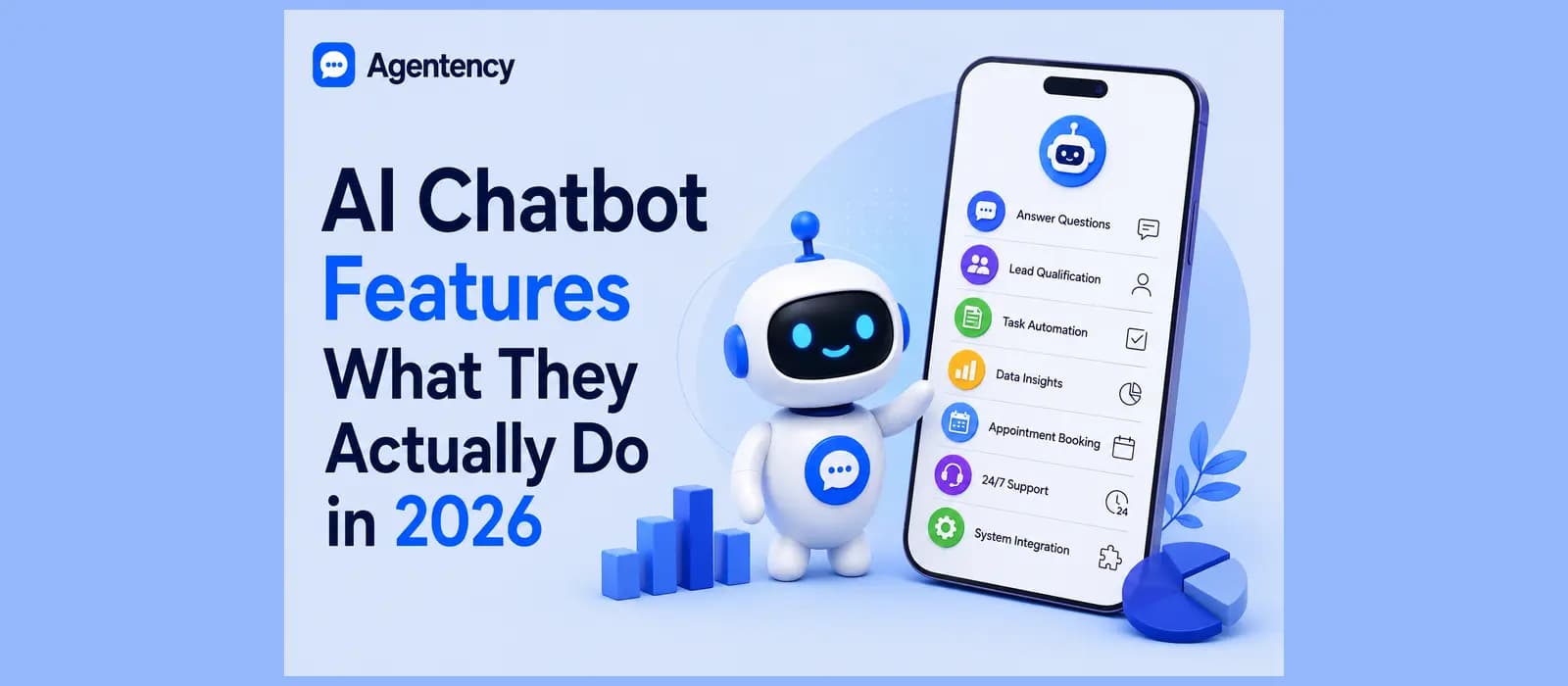
Search chat bot features and you'll land on a dozen lists that all name the same ten or fifteen items in a slightly different order, and most of them read like a spec sheet rather than a description of what actually happens when a real customer types a real question. This guide does something different. It sorts the real chatbot features by what actually happens in a conversation when each one fires, the ones that genuinely change what happens, the ones that sound impressive in a demo and rarely get configured, and where Agentency lands on each one, stated plainly rather than dressed up.
Ready to see which of these your own chatbot actually needs? Create a free account and connect your own content in a few minutes.
The Features That Decide Whether It Works
Most chatbot features lists treat every entry as equally important. In practice, three of them decide whether a deployment actually succeeds, and the rest are somewhere between nice to have and irrelevant depending on your business.
Grounded Answers, Not a Script
The single biggest difference between a good chatbot and a bad one isn't how many ai chatbot features it lists. It's whether it answers from your actual content or from a script someone wrote in advance and never updated. A chatbot grounded in your real product pages, policies, and past answers will tell a customer the truth about a return policy even if nobody thought to write that exact question into a flow. A scripted bot will either match a keyword and give the wrong answer, or say it doesn't understand.
This is where retrieval augmented generation earns its place on a chatbot features list instead of just sounding technical. It's the mechanism that lets a bot pull from your actual documents before it answers, rather than guessing from general knowledge and hoping the guess lands close enough. Most vendors mention this somewhere in their ai chatbot features documentation, but rarely explain how it changes an actual conversation, which is the entire point of the feature.
Ask any vendor demoing a bot to try it on a question that isn't in their prepared demo script. That's the fastest way to see whether the grounding is real or whether the demo was rehearsed.
Human Handoff Done Right
No chatbot resolves everything, and the good ones know it. The feature that matters here isn't just "can it hand off," every vendor claims that. It's whether the handoff carries the full conversation with it. A customer who's already explained their problem once shouldn't have to explain it again to a human agent starting cold. That single detail, whether the transcript travels with the handoff, is a better predictor of whether customers actually like your chatbot than almost any other feature on the list.
Omnichannel, WhatsApp Included
Customers wander between channels without thinking about it. They'll start on your website, message on WhatsApp, and follow up on Instagram, expecting the conversation to feel continuous rather than like they're meeting a stranger each time. Companies with strong omnichannel engagement retain an average of 89 percent of their customers, compared to 33 percent for companies with weak omnichannel strategies, according to Invesp's own research, and that 56 point gap compounds every year it goes unaddressed.
Most chatbot platforms treat WhatsApp as one channel among many, listed alongside Messenger and Slack with no particular investment behind it. Whatsapp ai chatbot features specifically, meaning the ability to actually hold a full conversation on WhatsApp rather than just send a notification, are rarer than the channel logos on a features page would suggest. Plenty of tools list whatsapp chatbot features as a bullet point and mean nothing more than "sends order confirmations," which is a genuinely different product from one that can answer an open ended question the same way it would on your website.
Curious how this looks in practice? See our guide to setting up an AI chatbot on WhatsApp for what a real WhatsApp deployment actually needs.
Multilingual Support, Beyond a Language Dropdown
A basic version of this feature detects a browser's default language and translates a fixed set of buttons. A real version detects the actual language a customer types in, mid conversation, and answers in that language without asking them to pick one from a menu first. Over 76 percent of consumers say they prefer buying in their own language, which is a big enough number that this stops being a nice extra and starts being a real chatbot feature worth checking closely before you buy, not just confirming it exists somewhere in a settings tab.
The distinction that actually matters here is whether the bot switches language automatically inside a single conversation, or whether a customer has to restart the chat to get a different language. Most best chatbot features lists mention multilingual support as one line. Almost none of them test whether it actually works mid conversation.
The Features That Sound Impressive and Rarely Get Used
Every chatbot capabilities page eventually gets to the features that demo beautifully and then sit unused once the bot actually goes live. These aren't fake features. They're just further down the list of things that determine whether your specific business benefits from a chatbot at all.
This same pattern, features that sound impressive next to the ones that actually matter, shows up across the wider AI agent market too. Our honest comparison of the best AI agents covers it at the platform level rather than the feature level.
Sentiment Analysis
Detecting frustration in a customer's tone and escalating before things get worse is a genuinely useful capability, in the specific businesses that need it. A mental health platform or a bank handling a distressed customer benefits enormously from this kind of chatbot functionality. A small ecommerce store answering shipping questions rarely does, because the emotional range of "where's my package" doesn't need a sentiment model to detect.
Emotional Intelligence
This is sentiment analysis's more ambitious cousin, aiming to make a bot respond with something resembling empathy rather than just flagging frustration for a human. It's a real, advanced chatbot feature, and it's genuinely valuable for the narrow set of businesses built around emotionally sensitive conversations. For most businesses selling a product or answering a support ticket, it's a feature that will sit in the settings menu, never toggled on, because the conversations it's built for rarely happen.
Proactive Chat Prompts
A well timed prompt, triggered when someone lingers on a pricing page, can genuinely help. A poorly timed one, firing the second a page loads, does the opposite and makes visitors leave faster. This feature's value depends entirely on how well it reads behavior before it fires, which is a harder thing to get right than the feature description on a vendor's page usually admits.
Curious what a chatbot built around the features that actually matter looks like against a workflow builder or a general widget tool? See our honest comparison of Chatbase against Agentency.
Conversation Analytics That Actually Get Read
Every features of chatbot comparison mentions analytics somewhere near the bottom, usually as a dashboard showing conversation counts. The version that actually matters shows you which questions the bot answered badly, not just how many conversations it had. A high conversation count with no visibility into which answers were vague is a chatbot capabilities gap wearing a features page win.
The honest test is simple. Open the analytics after a real week of use and see whether it points you toward two or three specific things to fix, or whether it just gives you a number that goes up and to the right without telling you anything useful about what customers actually asked.
Features You Configure Yourself vs Features That Already Work
This is the split almost no chatbot features list makes explicit, and it's the one that actually changes how much setup time you're signing up for.
Natural language processing, integrations, and analytics get listed as if they arrive functional the moment you install a bot. In practice, several of them require real configuration work. Integrations need someone to map the right fields into your CRM. Analytics only tells you something useful once you've decided which numbers to watch. Even NLP, genuinely automatic in how it interprets a sentence, still needs a real knowledge base behind it or it interprets a sentence perfectly and then answers from nothing.
Questions Worth Asking About Any Feature List
Ask whether a feature works the moment you sign up, or whether it needs a week of setup before it does anything useful.
Ask for a live example of the feature working on a question that wasn't part of the vendor's rehearsed demo.
Ask what happens when the bot genuinely doesn't know an answer, since that moment reveals more about the real chatbot capabilities than any feature list will.
Ask whether multilingual support switches language mid conversation automatically, or whether it requires the customer to restart the chat.
Ask which chatbot functions are included in the base plan versus which ones show up as a paid add on once you're already committed.
The honest question to ask about any chatbot features list isn't "does it have this." It's "does this arrive working, or is this a feature I'm going to spend a week configuring before it does anything."
Where Agentency Fits
Answers Grounded in What You Actually Published
Agentency connects to your store or your documents and answers only from what you've actually published, with a retrieval step built specifically to stop it from inventing an answer it was never given. That's the grounded answer feature covered earlier in this guide, working the way it's supposed to rather than described the way it's supposed to. See how this works in our guide to training an AI agent on your own catalog.
Handoff That Keeps the Whole Conversation
When a question genuinely needs a person, Agentency hands off with the full conversation attached, so your team isn't starting cold on a question the customer already explained once.
WhatsApp as a First Channel, Not an Add On
Agentency deploys across ten messaging channels including WhatsApp, plus a website widget and a hosted chat link, with WhatsApp built in as a real channel rather than a checkbox next to nine others. Our roundup of WhatsApp AI agent platforms covers this channel gap in more depth.
Arabic Handled Natively, Not Bolted On
Agentency is built Arabic first, with native right to left support, which matters for the specific way a lot of real customer messages actually get typed, informal, sometimes mixed with English, in a single short line. The same agent switches to English mid conversation the moment a customer does, without you configuring two separate bots or asking them to pick a language first, which is the mid conversation switching test covered earlier in this guide.
Set Up Without Configuring Everything by Hand
Point Agentency at your store or your documents and it learns from them directly, rather than asking you to build every conversation flow from scratch before it can answer a single question. That's the difference between a chatbot feature you configure yourself and one that already works, applied to the setup process itself rather than just one feature inside it. See the full feature set on our integrations page.
Ready to see which of these your own business actually needs, tested against your own content? Start free and connect your catalog or documents in a few minutes.
Key Takeaways
Most chatbot features lists treat every feature as equally important. In practice, grounded answers, real human handoff, and genuine omnichannel coverage decide whether a deployment works, and most of the rest are optional depending on your business.
Sentiment analysis and emotional intelligence are real, advanced chatbot features that matter enormously for a narrow set of businesses and sit unused for most others.
Companies with strong omnichannel engagement retain 89 percent of customers on average, against 33 percent for weak omnichannel strategies, a real gap that compounds every year, according to Invesp.
The most useful question to ask about any chatbot capabilities list is whether a feature arrives working or requires real configuration before it does anything.
Agentency's core features, grounded retrieval, full context handoff, native WhatsApp, and Arabic support, are built to arrive working rather than needing to be assembled after signup.
What Features Should a Chatbot Have
At minimum, a chatbot should answer from your actual content rather than a fixed script, hand off to a human with full conversation context when it needs to, and cover the channels your customers actually use. Everything past that, sentiment analysis, proactive prompts, deep CRM integrations, matters more or less depending on your specific business rather than being universally necessary. When people search what features should a chatbot have, they're usually hoping for a shorter, more decisive list than the fifteen item chatbot features list most vendors publish, and the honest answer really is that short.
Frequently asked questions
What Is the Difference Between Chatbot Features and Chatbot Capabilities?
In practice the two terms get used interchangeably, though features usually refers to the specific, named things a vendor lists on a pricing page, while capabilities more often describes what the bot can actually do once those features are configured and working together. A long ai chatbot features list doesn't guarantee strong capabilities if the features never get set up properly, which is really the whole argument of this guide in one sentence.
Do I Need Sentiment Analysis in a Chatbot?
Only if your business handles conversations where emotional tone genuinely changes the right response, healthcare, mental health support, or a bank managing a distressed customer are good examples. For most ecommerce and service businesses, the money is better spent making sure the bot answers correctly in the first place.
What Are the Most Important Chatbot Features for a Small Business?
Grounded answers from your real content, a human handoff that carries full context, and coverage of whichever channel your customers actually message on, WhatsApp especially for many small businesses. Advanced chatbot features like sentiment analysis and proactive triggers are worth adding later, once the basics are handling real conversations correctly.
What Are Chatbot Functions?
Chatbot functions are the individual tasks a bot can perform inside a conversation, answering a question, looking up an order, capturing a lead, or escalating to a person. Chatbot features are what enable those functions to work well, so a bot with grounded answers and real handoff performs its core functions far more reliably than one relying on a fixed script.