WhatsApp Chatbot for Customer Service: A Practical Guide
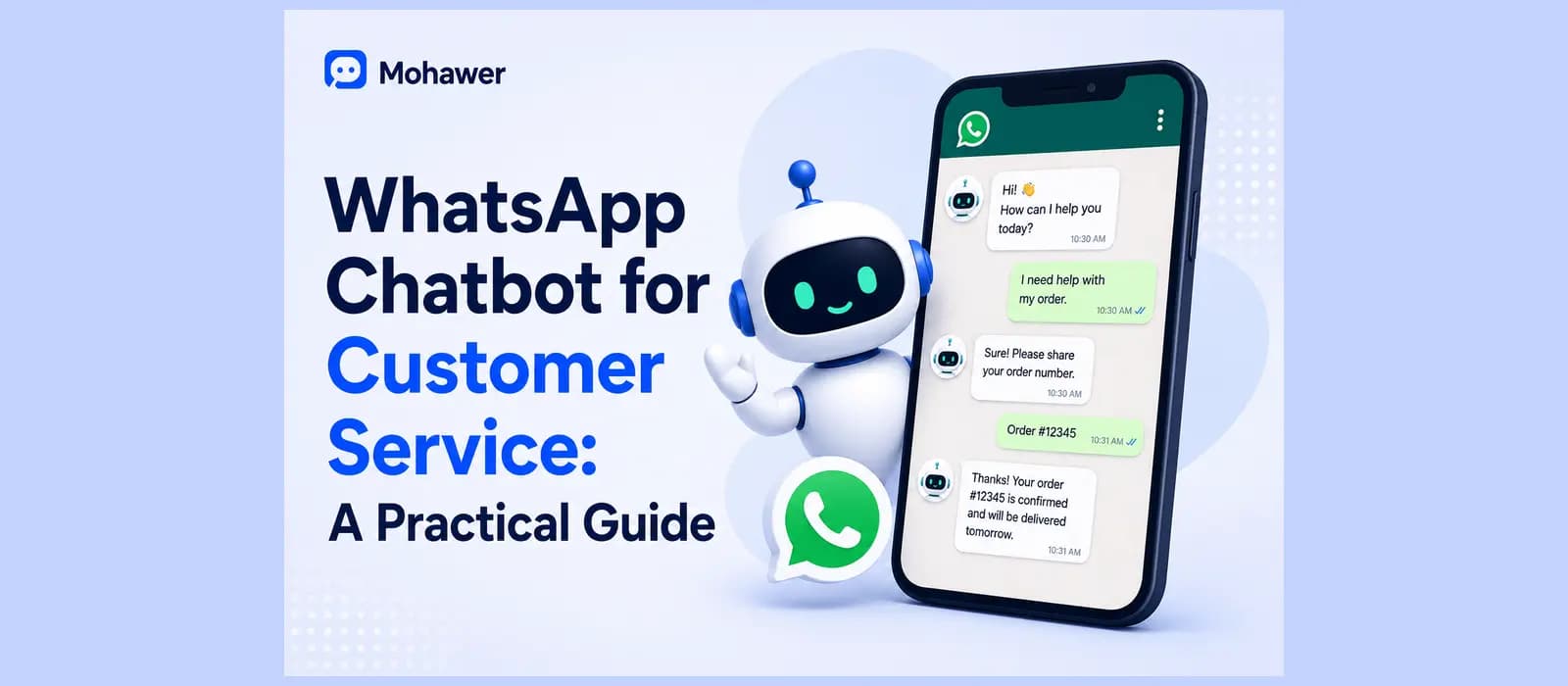
A customer messages your business on WhatsApp at nine at night asking about a delayed order. Nobody's watching that number. She waits until morning, gets annoyed, and starts typing the same question into a competitor's chat instead. That's the entire case for a whatsapp chatbot customer service setup, and somehow most of the articles on this topic bury that simple point under a features list nobody asked for.
It's a strange thing to bury, honestly, given how common this exact scenario is. Most of the businesses we talk to already know they should be answering WhatsApp faster. What they don't have is a clear, honest walkthrough of what actually goes into doing it properly, which is exactly the gap this guide is trying to close.
This guide skips the fluff. What a whatsapp chatbot for customer service actually is, why the channel itself matters more than people give it credit for, the one WhatsApp specific rule that trips up almost every new setup, and what to actually check before you pick a tool.
People search this a dozen different ways too. How to make a whatsapp chatbot, how to create an ai chatbot on whatsapp, how to create an ai chatbot for whatsapp, how to make a chatbot in whatsapp, whatever phrasing got you here. Same underlying question, and the answer below doesn't change based on the wording. If you're specifically evaluating customer service whatsapp chatbot software rather than building from scratch, the same principles in this guide apply directly to what you should be checking.
What a WhatsApp Chatbot for Customer Service Actually Is
A whatsapp chatbot customer service setup is software that answers your customers on WhatsApp using your actual business content, order status, policies, product questions, instead of a person typing the same reply for the fifth time this week. That's the whole definition. Everything past that is implementation detail.
Whether you call it whatsapp customer service ai, a whatsapp chatbot, or just an automated reply system, the underlying job is the same. It needs to read what your customer actually wrote, find the real answer in what you've given it to work with, and reply the way a competent person on your team would, not the way a phone menu would.
The honest test of whether one is any good is simple. Ask it a real question the way a real customer would type it, typos included, and see whether it answers from your actual content or guesses with confidence. A good whatsapp chatbot for customer service admits when it doesn't know something. A bad one invents an answer that sounds fine and is wrong.
See what a whatsapp chatbot customer service setup looks like trained on your own content. Start free.
Why WhatsApp Specifically, Not Just Another Channel
Every comparison of using WhatsApp for customer service treats the channel as one option among several: website chat, email, phone, social media. For a huge share of the world, that framing is backwards. WhatsApp isn't an alternative channel, it's the default one, and a WhatsApp chatbot for customer service that treats it as an afterthought is missing where a real share of your actual conversations already happen.
WhatsApp business automation has quietly become the backbone of customer communication for a huge number of companies outside the US, not because it's trendy, but because that's genuinely where the conversation already is. Ignoring it isn't a neutral choice, it's choosing to be harder to reach than you need to be.
Where WhatsApp Comes First
This matters even more if your customers are in the Middle East, North Africa, or most of the world outside the US, where WhatsApp is often the first place someone reaches a business, ahead of the website, ahead of email, sometimes ahead of the phone. A WhatsApp customer service chatbot built for that reality looks different from one where WhatsApp got added last, as a checkbox on a channels page.
The Open Rate Gap
The open rate difference is real and worth naming plainly rather than repeating as a vague statistic. Messages on WhatsApp get opened and read at a rate email simply doesn't match, since people check WhatsApp the way they check text messages from friends, not the way they check a cluttered inbox. A WhatsApp chatbot customer service companies actually rely on takes advantage of that attention, instead of sending an update that sits unread in an email folder for two days.
Think about your own behavior for a second. When was the last time you opened a marketing email within an hour of it landing? Now think about the last WhatsApp message you got from a friend or a delivery service, you probably saw it within minutes. That gap in attention is the entire argument for building your customer service around this channel rather than treating it as an afterthought behind email and your website.
The 24 Hour Window and Why Message Templates Exist
Here's the one WhatsApp specific rule almost every new setup trips over, and it's worth understanding before you build anything.
The Rule Itself
WhatsApp only lets a business send a free form message to a customer within 24 hours of that customer's last message to you. Outside that window, you can't just message them whatever you want. You have to use a pre approved message template, a fixed format WhatsApp has already reviewed, for things like order updates or appointment reminders.
This isn't a limitation someone invented to annoy businesses. It exists specifically to stop companies from spamming people the way email marketing eventually did. But it means a WhatsApp chatbot customer service software choice that doesn't handle this properly will either fail silently outside the 24 hour window or force you to manually approve templates every time your policy changes. Ask any tool you're evaluating directly how it handles messaging outside that window, since it's the kind of detail that only shows up once you're already live and something breaks.
A Practical Example
Here's the practical version. A customer messages you Monday about an order. You reply within the 24 hour window, no problem. But if that order gets delayed and you want to proactively tell them on Thursday, three days later, you're outside the window, and a free form message won't go through. You need an approved template for exactly that situation, prepared in advance, not improvised in the moment. Businesses that get caught by surprise here usually find out during their first real delay, not during setup, which is exactly why it's worth understanding before you need it.
Setting One Up, Step by Step
Decide the One Job It Should Do First
If you're wondering how to make a whatsapp chatbot for the first time, start here, not with the technology. Pick a single job, order status, a specific FAQ cluster, appointment confirmations, rather than trying to cover everything on day one. Open your actual WhatsApp inbox and look at the last hundred messages. Whatever question shows up most is where you start.
Gather What It Needs to Know
Your return policy, your product pages, your shipping timelines, whatever you already have written down somewhere. A chatbot only knows what you actually give it. A vague policy in produces a vague answer out, no matter how good the underlying technology is.
A quick way to check whether you have enough to start. Pull the last twenty real WhatsApp conversations from your own inbox and see how many you could answer using only what's already written down somewhere in your business. Whatever you can't answer that way is the actual gap to fill before launch, not a guess about what customers might ask.
Connect to WhatsApp Itself
This is the step people mean when they search how to create an ai chatbot on whatsapp or how to create an ai chatbot for whatsapp specifically, since it's genuinely different from setting up a website widget. Depending on the platform, this either means applying for the official WhatsApp Business API through a provider, or in some cases connecting an existing number more directly. Either way, confirm upfront whether the tool you're using requires the full API application process or offers a faster path, since this single step is where most setups either take an afternoon or stretch into weeks.
Whatsapp automation for business specifically, as opposed to a general chatbot that happens to also cover WhatsApp, should make this connection step feel like the easiest part of the whole process, not the hardest. If it isn't, that's a real signal about how seriously the platform actually treats the channel.
Test It Like a Skeptic
Ask it the messy, real version of the questions your actual customers type, not the clean version from a demo script. Typos, half sentences, questions asked in Arabic or mixed with English, the way people actually write on WhatsApp when they're typing quickly on a phone. Watch what happens when it genuinely doesn't know something. A good answer says so honestly. A bad one guesses with total confidence, which is worse than no answer at all since it actively misleads someone.
Launch and Watch the First Week
Go live, then actually check back. The first week of a real whatsapp customer service chatbot deployment teaches you more about the gaps in what you gave it than any amount of planning beforehand.
Try the steps above for real instead of just reading them. Start free.
What to Actually Look For
No Code or the Full API Application
Searches for a best no-code whatsapp chatbot builder or a no code whatsapp chatbot builder specifically usually mean the same thing, someone who wants this running without a developer or a multi week application process. A genuine no code whatsapp ai chatbot builder no code setup should get you from signup to a live agent in an afternoon, not a quarter. If you're specifically looking for a free whatsapp chatbot builder no code option to test the idea first, check the actual message cap on the free tier rather than trusting the word free on a pricing page.
If you're still deciding between the no code route and something more custom, we cover that exact decision, and what a genuinely no code platform should actually feel like, in our guide to no-code chatbot builders. Customer service whatsapp chatbot software worth paying for should make this choice obvious within the first few minutes of using it, not something you have to dig for in the pricing page fine print.
Whether It Covers More Than Just WhatsApp
Most businesses don't only get messaged on WhatsApp. If someone also reaches you through your website or asks about products through a whatsapp ai chatbot for website widget, the same knowledge and the same accuracy should carry across both, not a stripped down version bolted onto WhatsApp specifically while the real product lives elsewhere.
How It Actually Handles Arabic, Not Just Translation
This is the part almost every comparison of whatsapp chatbot companies customer service skips entirely, and it matters more than a features page suggests. If you're actively comparing whatsapp chatbot customer service companies against each other, our honest comparison of the best ai chatbots for customer service covers exactly this kind of gap across several named tools, not just WhatsApp specifically. Most platforms translate the reply text and call it multilingual support, while the surrounding interface, timestamps, message direction, the whole visual layout, stays built for a left to right language. Anyone who reads Arabic notices immediately, even when every individual word is technically correct.
A genuine right to left setup means the whole conversation renders correctly, not just the words inside an English shaped layout. If a meaningful share of your customers write in Arabic, this single detail separates a tool that was actually built for your market from one where Arabic support got added as an afterthought to satisfy a features checklist.
A quick way to check this yourself before committing to anything. Ask the vendor for a live demo specifically in Arabic, not a screenshot, an actual working conversation. Watch whether the whole interface flips correctly or whether it's just the reply text that changed language while everything around it stayed built for English. That five minute test tells you more than any features page claiming multilingual support ever will.
Resolution Rate, Not Just Open Rate
WhatsApp's high open rate is real and worth using, but it's easy to let a vendor hide behind it. A message getting opened isn't the same thing as a customer's actual problem getting solved.
Resolution means the question got answered and the issue actually ended. A whatsapp customer service chatbot software choice can show you an impressive open rate and engagement number while quietly resolving very little, if most of what it sends is a friendly notification rather than a real answer to a real question. Ask specifically for resolution rate, not just message delivery or open rate, before trusting any number a vendor shows you.
We've gone deeper on exactly this distinction, and how to evaluate a customer service chatbot honestly beyond just this one channel, in our pillar guide on the topic. The same principle applies whether you're looking at WhatsApp specifically or comparing tools across every channel at once.
See a real resolution rate measured on your own WhatsApp conversations. Start free.
How Agentency Approaches WhatsApp Customer Service
Everything above is true of the category generally, the 24 hour window, the resolution rate honesty, the Arabic test worth running on anyone you're evaluating. Here's specifically what we built, since this is the part I can actually speak to firsthand rather than describe in general terms.
Deploy the Same Agent to WhatsApp and Nine Other Channels
WhatsApp is one of ten messaging channels the same agent deploys to, alongside a website widget and a shareable hosted chat page, all from one build. The knowledge and accuracy customers get on WhatsApp is identical to what they get anywhere else, not a lighter version bolted on afterward.
Built Right to Left From the Start, Not Added Later
The entire widget and chat experience renders correctly right to left for Arabic and Urdu, not just the reply text sitting inside a layout built for English. On top of that, the agent replies automatically in whichever of ninety plus languages a customer actually writes in. This came directly from watching merchants get a half finished solution from tools that treated Arabic as a translation target rather than a language their own customers think and write in every day.
Answers From Your Real Content, Trained in Minutes
Point the agent at your website and it crawls the pages automatically, or upload your policies and product sheets directly, including scanned documents through OCR. A two stage retrieval pipeline and an anti hallucination gate mean it answers from what you actually gave it and says so honestly when it doesn't know something, instead of guessing.
It Takes Real Action, Not Just Replies
Beyond answering, the agent can look up an order, check shipment status, create a support ticket, or push a lead into a CRM, through roughly 31 ready made integration templates. This is the difference between a whatsapp customer service chatbot that only talks and one that actually resolves something inside the conversation.
Resolution Rate on the Dashboard, Not a Vague Number
The account dashboard tracks actual resolution rate alongside average response time and handoff rate, with real trend data, not a single headline percentage with nothing behind it. The Needs Attention panel shows exactly which questions the agent couldn't answer, so closing that gap takes a five minute weekly review instead of digging through raw chat transcripts.
Human Handoff With the Full Conversation Attached
When a conversation needs real judgment, the agent flags it and hands your team the entire history, so nobody starts cold and the customer never has to repeat what they already said.
Pricing That Doesn't Punish You for Getting Better
There's a free forever plan, one agent, fifty messages a month, enough to genuinely test a whatsapp chatbot customer service setup against your own content before paying anything. Full pricing details are worth checking directly, since every tier includes a spend ceiling so a busy week never turns into a surprise bill. This matters specifically for WhatsApp given how much conversation volume tends to arrive there once customers realize you're actually responsive on the channel, a spike in messages after a launch or a sale shouldn't translate into an unpredictable invoice at the end of the month.
Frequently asked questions
Is there a genuinely free whatsapp chatbot builder no code option?
Yes, several platforms including Agentency offer a real free tier, not just a time limited trial. Check the actual message cap rather than trusting the word free on a pricing page.
How do I make a whatsapp chatbot without hiring a developer?
Pick a no code platform, connect it to your existing content and your WhatsApp number, set the basics like tone and language, and launch. The setup itself takes minutes once the WhatsApp connection step is done.
How can I create an ai chatbot for whatsapp specifically, not just a website chatbot?
Look for a platform where WhatsApp is a first class channel from the start, not an add on. Ask directly how it handles the 24 hour messaging window and whether Arabic or other right to left languages render properly, not just translate.
Where can I find whatsapp chatbot service providers I can actually trust?
Look for a provider that treats WhatsApp as a first class channel, not a bolted on feature, and one that's transparent about pricing rather than routing you to a sales call for basic numbers. Testing the free tier of a few whatsapp chatbot service providers directly, with your own real questions, tells you more in twenty minutes than any comparison article will.