Customer Service Chatbot: What It Is and Why It Matters
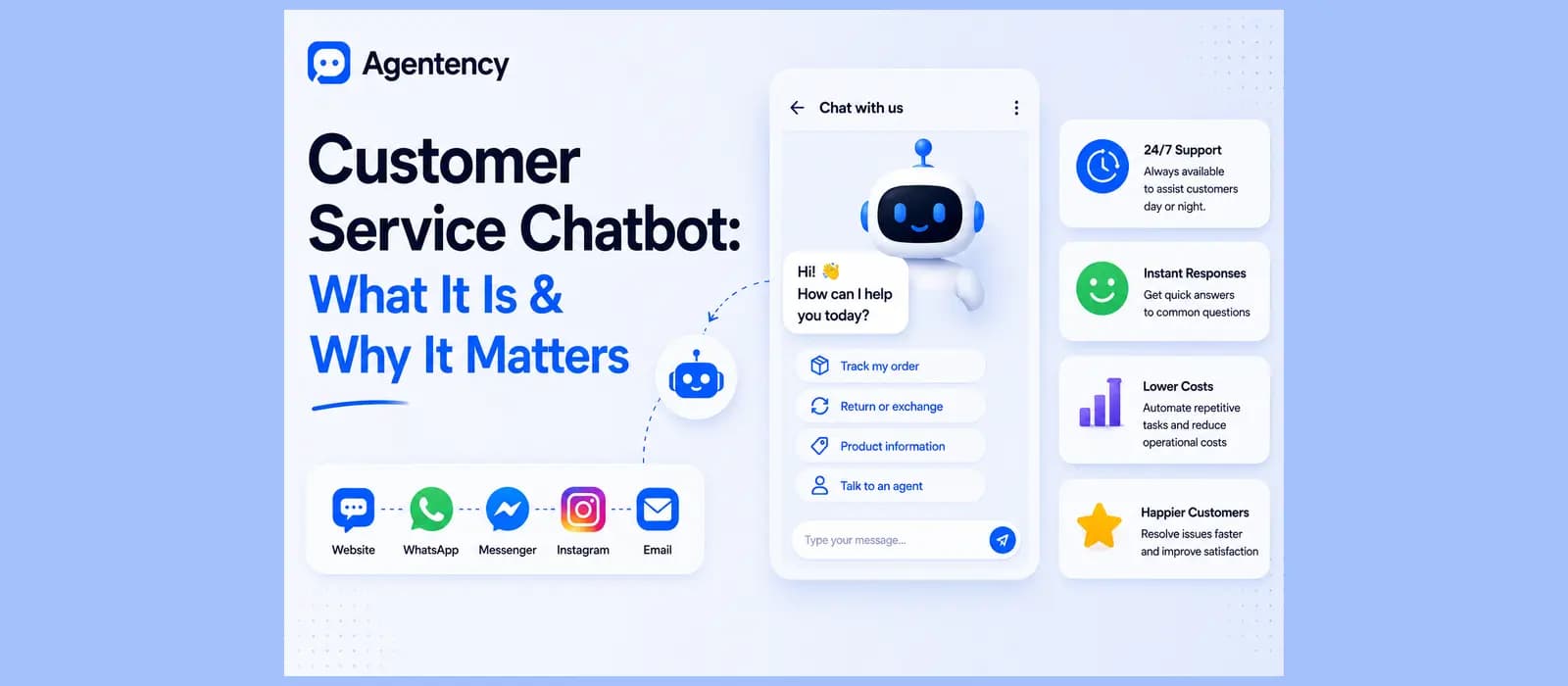
A shopper messages your store at nine at night asking if a jacket runs small. Nobody answers. She closes the tab and buys the same jacket somewhere else. That's the entire case for a customer service chatbot, and somehow almost nobody explains it that plainly.
Every guide on this topic right now is written for an enterprise CX director sitting through a vendor RFP, full of contact center language, compliance checklists, and pricing nobody will quote you until you've sat through three sales calls. If you're actually running a small business or a two person support team, none of that is written for you. This is.
I say this having read through most of the current top ranking pieces on this exact term while researching this one. They're genuinely well made, and they're built for a completely different reader. Support operations directors weighing Salesforce integrations and SOC 2 certifications against a six figure annual contract. If that's you, those pieces will serve you well. If you're the person who actually answers the messages, not the committee approving the budget for someone else to, keep reading.
What a Customer Service Chatbot Actually Is
A customer service chatbot is software that talks to your customers, answers their questions, and does it using your actual business information instead of a generic script. That's the whole definition. Everything past that is implementation detail.
If you searched what is customer service chatbot to land here, that's it, that's the whole answer, and everything below just explains what separates a good one from a bad one. Whether you call it a customer service AI chatbot, an AI chatbot for customer service, or just a chatbot for customer service, the underlying question is always the same one.
The honest test of whether one is any good comes down to one thing. Can it tell someone their order shipped yesterday, or can it only say "check your email for tracking"? The first one is doing real work. The second one is a search bar wearing a chat bubble.
The Difference Between a Script and Something That Actually Understands You
The oldest kind of chatbot for customer service runs on a decision tree. Click a button, get a pre written answer, and the moment a customer types something the script didn't anticipate, the whole thing breaks. Anyone who's ever been stuck clicking through a phone menu already knows exactly what this feels like in text form.
The newer kind, an AI customer service chatbot teams actually rely on today, works differently. It reads what the customer actually typed, in their own words, typos and all, and answers from your real content instead of matching keywords. Ask it "wheres my stuff" and it understands that the same way it understands "I haven't received my order," which a script never could.
Roughly speaking, there have been four waves of this technology, and it's worth knowing where a given tool actually sits before you buy it. The earliest ones matched keywords against a script. Then came ones that understood variations in phrasing but still only pulled from pre written answers. After that, tools built on large language models could hold a genuinely fluent conversation, though many still just talked, they didn't act. The current wave reads your content, reasons about what the customer actually needs, and takes real action inside the conversation. Most of what gets sold today sits somewhere in the third or fourth wave, and the honest way to tell the difference is the same test from the intro. Can it do something, or does it just say something.
None of this matters for its own sake, by the way. A business doesn't need to know which wave a tool technically belongs to. What it needs to know is whether the thing answering its customers actually gets the answer right and does something useful when asked, and the wave a tool sits in is just a rough proxy for how likely that is.
A quick way to test which wave you're actually looking at, regardless of what the sales page calls it. Ask it the same question three different ways, in three separate messages. A script gives you three different answers, or breaks on at least one of them. A properly grounded tool gives you the same correct answer every time, because it's reading from the same real content no matter how the question was phrased.
Here's the part almost every article about this topic now repeats word for word, so I'll say it once and move on rather than pretend it's a fresh insight. The industry has spent the last two years drawing a line between "chatbot" and "AI agent," where a chatbot answers and an agent actually does things, checks an order, issues a refund, books a call. That distinction is real, but it's also become the standard opening line of basically every piece of content in this space, including some of what I've written. What actually matters isn't which word a vendor uses. It's whether the thing in front of you can look up a real order and take a real action, or whether it's just generating better sounding sentences around the same "check your email" answer.
See what a customer service chatbot trained on your own business actually sounds like. Start free.
What It Actually Costs a Small Business
Every serious piece of content on this topic quotes enterprise numbers. Per resolution fees. Per agent per month contact center pricing. Custom quotes that require a sales call to even hear. None of that tells you what one actually costs if you're running three hundred conversations a month, not thirty thousand.
The honest range for a small business: free to start on most platforms with a genuinely usable free tier, then somewhere between nineteen and a couple hundred dollars a month once you're past that, depending on volume. A fully custom build from a developer or an agency runs into the thousands and is rarely what an actual small business needs, no matter how many "AI transformation" pitches suggest otherwise.
Watch for the pricing model underneath the sticker price too, not just the number itself. Some platforms charge per conversation, which is fine at low volume and adds up fast once you scale. Some charge per resolution, which sounds fair until you realize you're paying even for the resolutions that didn't actually help anyone. A flat monthly tier with a clear message cap is usually the easiest one to budget against, since you know exactly what a busy month costs before it happens.
Run the actual math against your real numbers before you commit to anything. Pull last month's total customer conversations across every channel you use. That number, not the sticker price on a pricing page, is what tells you whether a per conversation plan or a flat tier actually costs less for your specific business.
Where It Lives, Website, WhatsApp, and Everywhere Else
An AI chatbot for customer service that only lives on your website is answering half your customers at best. In a lot of the world outside the US, WhatsApp isn't an extra channel, it's the main one, and a whatsapp chatbot customer service setup that gives the same quality answer there as on your website widget matters more than most comparison articles give it credit for.
The test is simple. Ask the same question on your website chat and then on WhatsApp. If the WhatsApp answer is shorter, dumber, or the channel doesn't exist at all, you've found where the vendor's real product ends and the afterthought begins.
This matters even more once you count how many places a customer might actually reach you. Website chat, WhatsApp, Instagram DMs, email, sometimes a phone line too. An AI chatbot customer service setup that only covers one of those and calls the rest "coming soon" is answering a fraction of the conversations your business actually gets. A whatsapp chatbot for customer service that's genuinely the same intelligence as the website version, not a lighter build bolted on afterward, is worth checking for specifically before you commit to anything.
Resolution Is Not the Same Thing as Deflection
This is the one distinction that separates a customer service chatbot that's actually helping from one that's just making your support metrics look better on paper.
Deflection means the conversation never reached a human. Resolution means the customer's actual problem got solved. A chatbot can deflect a huge share of conversations while resolving almost none of them, if it's mostly telling people "I can't help with that, please contact support" in a slightly friendlier tone. Watch for vendors who quote one big automation number without saying which of the two they actually measured.
There's a real, independently run benchmark worth knowing about here. AIMultiple tested several AI customer service tools by asking each one for a specific customer's refund details without providing any login or account verification. One tool, Tidio's Lyro, declined and redirected the person to log into their account first. A competing Azure based setup handed over the customer specific information with no authentication check at all. That's the difference between a chatbot built with actual guardrails and one that was never asked the hard question before it shipped.
Ask any vendor you're evaluating that exact question before you sign up for anything, not a hypothetical version of it, the actual scenario. Request a specific customer's private details without proving who's asking. What happens next tells you more about the product than any feature list or demo ever will.
What This Actually Looks Like in Practice
Abstract definitions only get you so far, so here are three real, small scenarios rather than a theoretical explanation.
A customer messages at midnight asking if a dress runs true to size. The chatbot pulls the actual sizing notes from that specific product page and answers immediately, instead of the customer waiting until morning and possibly buying from a competitor instead.
A customer wants to know where their order is. Instead of "check your email for tracking," the chatbot looks up the actual order, tells them it shipped yesterday and is due Thursday, and offers to help with anything else, all in one message.
A customer asks a question the chatbot genuinely can't answer, something specific to their account that needs a human's judgment. It says so honestly, flags the conversation, and hands it to your team with the full history attached, so the customer doesn't have to explain themselves twice.
A returning customer messages in Arabic asking about a delayed order. The chatbot answers in Arabic, correctly right to left, with the same accuracy and the same order lookup capability it would use for an English speaking customer on the other side of the world. Nobody on the team had to translate anything or set up a separate flow for it.
None of these are complicated. They're just the difference between a chatbot that resolves something and one that deflects it somewhere else.
The Habit That Decides Whether It Keeps Getting Better
Every guide on this topic talks about training a chatbot as something you do once, during setup. That's the whole story for about a week.
After that, the chatbots that keep improving and the ones that quietly stall out split apart based on one habit, and it isn't a feature you buy. Someone has to look at what the chatbot couldn't answer, every week, and add that missing answer to its knowledge. Five minutes, once a week. The chatbots that plateau are the ones where nobody does this after the launch excitement wears off.
See how the unanswered question habit is built directly into the product. Start free.
How Agentency Tackles This
Everything above is true of the category generally. Here's specifically what we built, since this is the part I can actually speak to firsthand.
It Answers From Your Content, Not a Guess
Agentency runs a two stage retrieval pipeline with a dedicated reranking model, searches using more than one phrasing of the question so oddly worded messages still find the right content, and runs everything through an anti hallucination gate before it answers. When it genuinely doesn't know something, it says so, in the customer's own language, instead of inventing an answer. Every answer can show a Useful Resources block linking back to the source page it came from.
It Answers and Acts, on Every Channel That Matters
The same agent deploys to a website widget, a shareable hosted chat page, and ten messaging channels including WhatsApp, Instagram, and Telegram, so the WhatsApp answer is exactly as good as the website answer, not a stripped down version bolted on afterward. Beyond replying, it can look up an order, track a shipment, create a support ticket, push a lead to a CRM, or book a meeting, through roughly 31 ready made integration templates or a custom connection to almost anything else.
It Hands Off With the Full Story, Not a Cold Restart
When a conversation needs a person, a sensitive complaint, a return that doesn't fit the standard policy, the agent flags it and hands your team the complete conversation history along with it. Nobody on your side has to ask the customer to explain themselves again, and the customer never has to repeat what they already said.
It Speaks Arabic Properly, Not as a Translation
The whole widget renders correctly right to left for Arabic and Urdu, not just the words inside a layout built for English, on top of ninety plus languages the agent replies in automatically based on how the customer writes. This was built in from day one rather than added later, because a meaningful share of the merchants we work with serve Arabic speaking customers every single day, and most platforms in this category still treat Arabic as an export destination for English content rather than a language their own customers actually think in.
The Needs Attention Panel Closes the Habit Gap
Every question the agent couldn't answer shows up in one place in your dashboard, the same habit covered above, just built into the product instead of something you have to remember to do yourself. You add the missing answer, the agent learns it, and you never have to dig through raw chat transcripts to find where the gaps actually are.
It Captures Leads, Not Just Answers Questions
Every conversation can optionally capture a name, email, or phone number before or during the chat, turning a support question into a real lead in a built in CRM rather than a conversation that just disappears once it ends. Consent is tracked separately from the conversation itself, so a support question never quietly turns into an assumed marketing opt in.
Pricing You Can Actually Predict
There's a free forever plan, one agent, fifty messages a month, enough to genuinely test the whole idea on your own business before paying anything. Paid plans start at nineteen dollars a month, and every tier includes a spend ceiling so a busy week can't quietly turn into a surprise bill.
Done reading? See what a customer service chatbot trained on your actual business looks like. Start free.
Where to Go Deeper
This page covers what one actually is and what matters most when you're evaluating one. A few things worth reading next if you want more. We wrote a full breakdown of resolution rate, the number that actually tells you whether a chatbot is working, since it's the metric most comparison pages quietly skip. If escalation is the part you're most worried about, designing human handoff that doesn't destroy trust goes deeper on exactly when and how a chatbot should tap out. And if you're running a smaller store specifically, our playbook for stores doing under fifty orders a day covers the exact scenarios most enterprise focused guides skip past entirely.
For the ecommerce specific version of everything in this guide, see our AI chatbot for ecommerce pillar page. And if you're specifically trying to build one without a developer, our no-code chatbot builder guide covers what to actually look for.
Frequently asked questions
What is a customer service chatbot?
Software that talks to your customers and answers their questions using your actual business content, your policies, your products, your knowledge base, instead of a generic script. The good ones can also take action, like checking an order or issuing a refund, not just reply with text.
What is the best customer service chatbot?
There isn't one universal answer, it depends on your setup, your channels, and your volume. What matters more than any single ranking is whether the tool actually answers from your content, covers the channels your customers use, and hands off cleanly when it hits its limits.
How does a customer service chatbot work?
It reads the customer's message, searches your actual content for the relevant answer, and replies in plain language, or takes an action like looking up an order if the platform supports it. The better ones say honestly when they don't know something instead of guessing.
How can chatbots improve customer service?
Mainly by answering instantly outside business hours, handling the repetitive questions that eat up a support team's day, and freeing actual people for the conversations that need judgment rather than a lookup. The full breakdown with real numbers is covered in a dedicated piece we've linked above.